
A ski resort can put a photograph a scanner or a window can match on a season pass, on a staff badge, and on a seasonal-worker ID, when it keeps those three files apart. Name the file before the guest checks out and before the worker reaches the mountain, reject a goggle shot the same day, and store an end date on every card you print. A visa photograph, a Form I-9 portrait, and a passport stay on the path that owns them.
Employees follow the employee badge page and the HR badge guide. A staffing-agency instructor follows the staffing guide and still needs your seasonal card. Lodging on the same mountain follows the hotel guide. Guards follow the security guide. A summer gate at a theme park follows the theme park guide. A work visa follows the immigration guide.
What does one shared photograph cost a ski resort?
The cost shows up in the pickup line on opening weekend and at a door that should have closed in the spring. A new passholder arrives with goggles still in the picture, and the pass will not print. Last winter's seasonal card still opens the lift shack in July. A family group shot was cropped onto one pass, so the person at the window and the face on the card are two different people.
The U.S. Bureau of Labor Statistics counted 93,900 employees at skiing facilities in January 2026 and 21,300 in July 2026, not seasonally adjusted. January is more than four times the July count, so a single summer photo day misses the winter roster. September 2026 on that series is marked preliminary.
That series is NAICS 713920, skiing facilities, including four-season resorts without accommodations. A resort that also provides lodging is classified in accommodation on the amusement subsector page, so a hotel on the mountain follows the hotel card.
| File | Who it is for | When it ends | What goes wrong when the files are mixed |
|---|---|---|---|
| Season pass | One pass holder. | The season you stored, or a reuse you wrote down. | A goggle selfie, or last year's face on this year's holder. |
| Staff badge | An employee of the mountain. | Employment ends, or the date you stored. | A seasonal hire left live after the snow melts. |
| Seasonal-worker ID | A season hire, including a J-1 arrival. | The last day of that season or program. | July access on a card that should have stopped in March. |
| Form I-9 | People the mountain employs in the United States. The employee chooses the documents. A pass and a badge are off the Lists of Acceptable Documents. | The Handbook's clock. | Filing the pass as proof of identity. |
| Passport or visa | The issuer's capture. A U.S. visa follows the Department of State. A UK passport photograph meets GOV.UK photo rules. | The issuer's date. HM Passport Office still decides. | A pass crop sent onward as the visa photograph. |
The Handbook for Employers requires Form I-9 when the mountain hires someone in the United States. Section 2 is due within three business days, or on the first day when the job lasts fewer than three. Section 8.0 lists seasonal employment as continuing employment when the person has a reasonable expectation of employment at all times. A right-to-work check happens before UK employment. On an E-Verify case, compare the photo E-Verify displays with the document the employee chose.
Which file owns this photograph?
The mountain sets the crop and decides which door the card opens. The season pass follows the pass product. The staff badge follows employment. The seasonal-worker ID follows the season or the exchange program. Form I-9 and the visa stay on the records that already own them.
Epic Pass requires a photo of each pass holder to activate the pass. A past-season photo stays on the account, and Epic says it cannot be replaced online. A first-time holder uploads in My Account or the My Epic app. An existing photo is replaced at a ticket window.
Ikon Pass emails a link when a new passholder skipped the upload. Its photo page rejects a poor picture, a second person, goggles, glasses, a hat, a helmet, or a file over 5 MB. The online window for a change, 15 June through 7 August, has passed, so a North American ticket window takes the new photo and prints the pass. Ikon's FAQ requires a photo of every skier on a family account. A holder who skips a new card keeps the one in their pocket, and that pass is active again for the 26/27 season.
A travel document, and a remote start. Capture the staff badge and the seasonal-worker ID again. A UK passport photograph meets GOV.UK photo rules, and a UK passport photo code retrieves it. HM Passport Office still decides. A U.S. visa photograph follows the Department of State and stays unedited. Print and mailing, available per request, covers a card the mountain has already approved and needs in a guest's hands before opening day.
How do mountains collect these photos today?
One inbox holds the week-before replies: a goggle selfie, a group shot, and a passport scan meant for a visa. The October photo day misses the instructor who lands in December. A rejected upload waits until opening morning, and the window hands out a pass and a staff card that look alike.
What does a split workflow look like?
On Saturday 28 November 2026 one mountain opens. A returning passholder keeps the photo already on the account and picks up a card only if it was not mailed. A new passholder whose upload shows goggles retakes it at that window before anything prints. A year-round lift employee keeps the staff badge. A J-1 instructor whose assignment runs through Sunday 14 March 2027 gets a seasonal-worker ID with that end date.
22 CFR 62.32 sets a maximum of four months for Summer Work Travel and does not permit an extension. The sponsor confirms the placement. Vail Resorts uses the program for summer and winter roles and takes applications through its approved sponsors. Winter Park Resort says it cannot provide the visa, and that winter availability runs from early December through at least mid-March. Send the photo link before the flight. The seasonal-worker ID is a new picture, taken before the first shift.
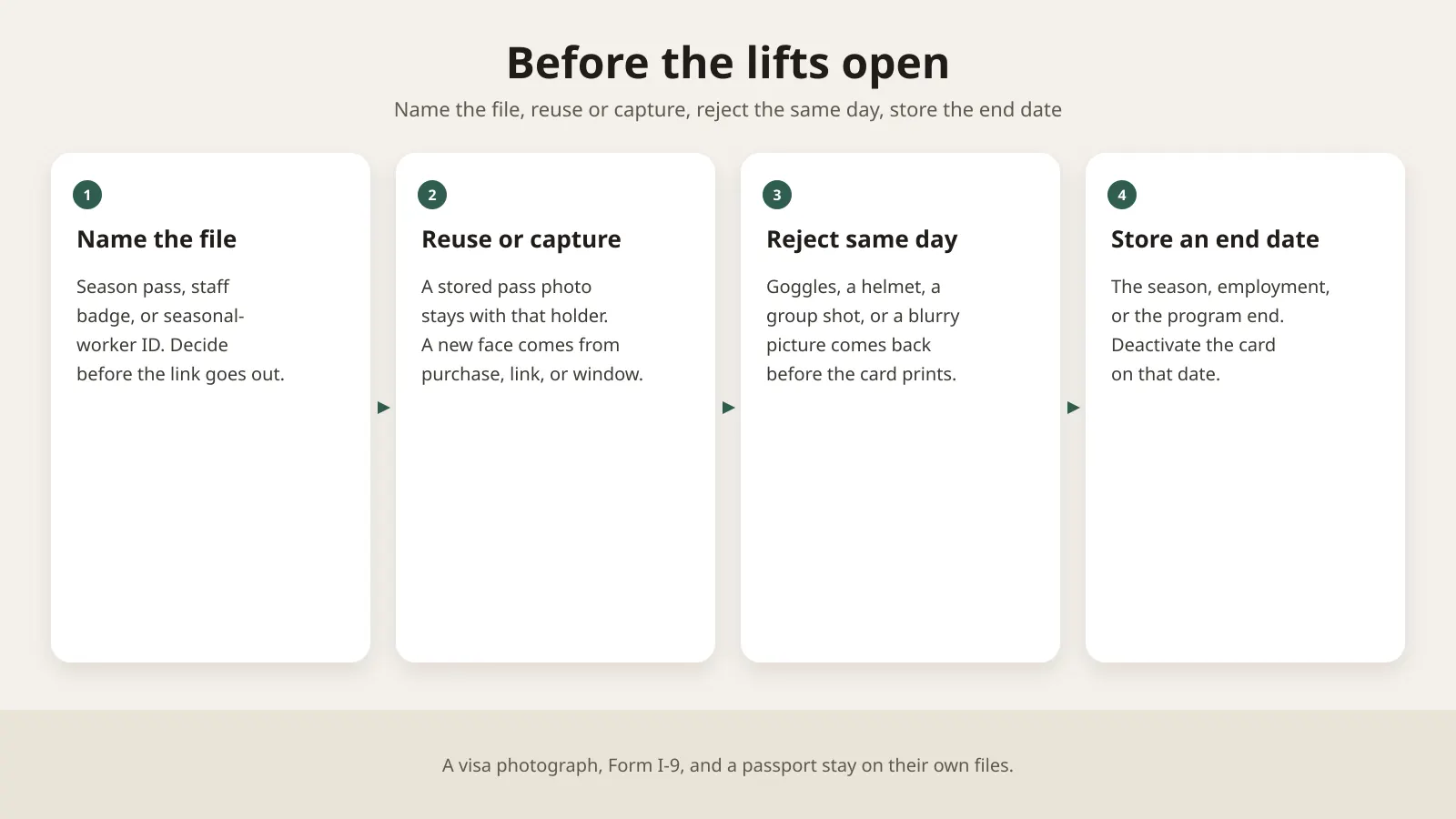
1. Write down who the photograph is for. Season pass, staff badge, or seasonal-worker ID, before the link goes out. A generated headshot stays on the careers page.
2. Reuse a stored pass photo only for that holder. When the product already stores the face, leave it in place. When it replaces that face only at a window, send the holder there.
3. Collect a new file on the purchase page, on one link, or at the window. The badge photo service emails one link per person, expired after use, available per request from support@idphoto.ai. A camera or a kiosk at the pickup window uses the same template.
4. Reject a bad capture the same day. A photo compliance check can return a pass or a fail before you print. Goggles, a helmet, a second person, or a hood across the face is a retake. A passport or a visa stays unedited. Background removal applies only when the template allows it.
5. Write the file back with its date. Face comparison checks a replacement against the stored pass photo. Liveness detection is available per request on a phone capture from home. Take the copy back, or use a temporary link of 2 hours to 14 days.
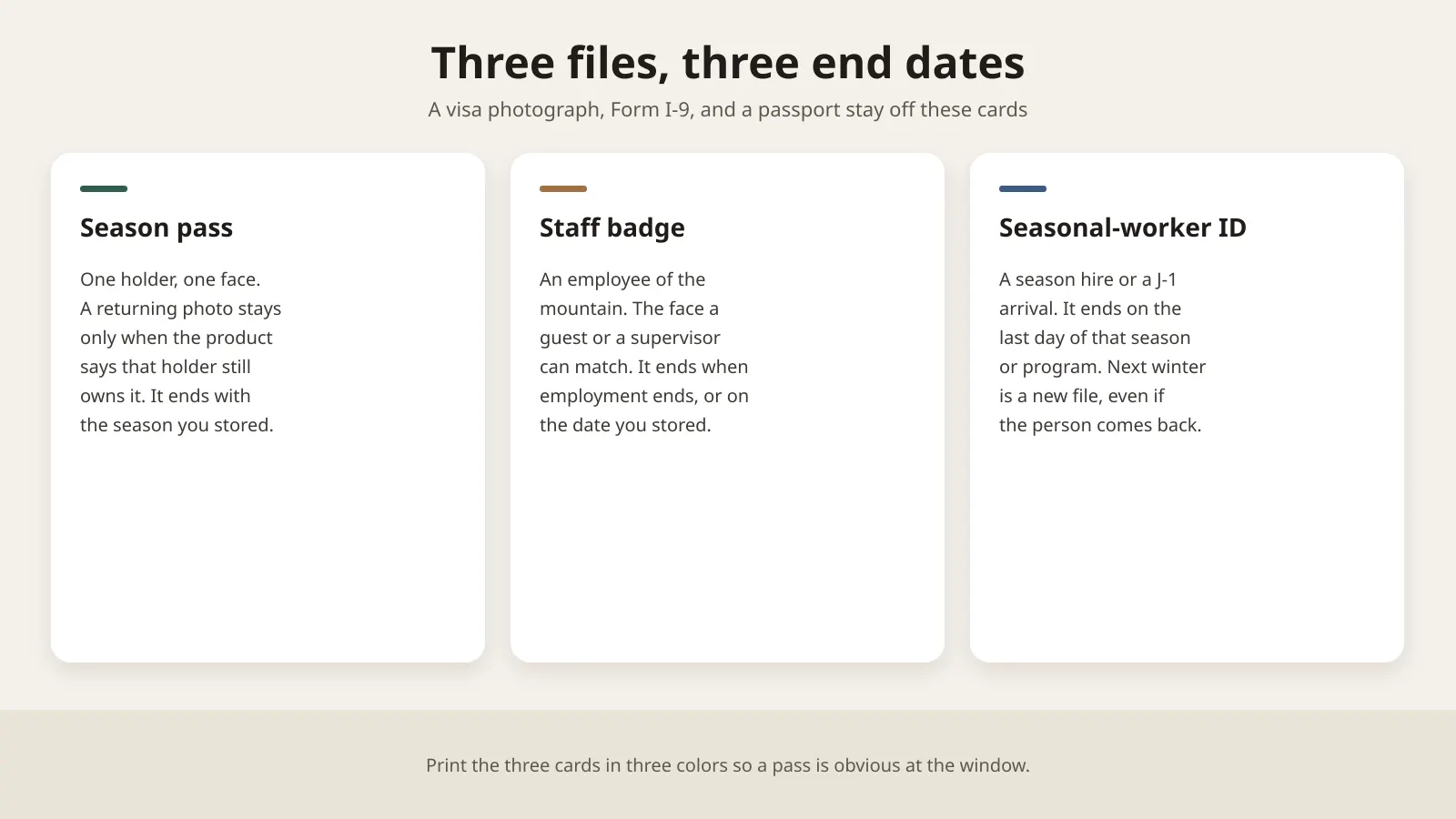
6. Hand the card over on the matching template. Batch preparation returns a retake list before the first shift. Print the three cards in three colors.
What should a mountain require from a photo service?
| What you need | What good looks like |
|---|---|
| A specification per card | Size, crop, and background per window. See the spec code reference. A visa, a passport, and Form I-9 sit outside it. The catalog covers 300+ specifications across 200+ countries. |
| Rejection before the card prints | Face, light, blur, and framing the same day, including opening weekend. Leave a passport and a visa unedited. |
| A path off the October photo day | An upload on the purchase, one link per person, expired after use, plus a camera or a kiosk at the pickup window. |
| The record that owns the person | The file returns with its end date. Workday or SAP SuccessFactors sync is available per request for people already in those systems. The season pass stays on the pass record. |
| A check a window can explain | Face comparison and liveness detection, available per request. The mountain still decides who receives a pass and who may open a door. |
How do you roll this out on one mountain first?
Write the file rule before the first link. Name the three templates, the end dates, which doors each card opens, and whether a stored pass photo can be replaced online. Name who completes Form I-9, who runs a UK right-to-work check, and who leaves a sponsor-placed worker's form with that employer.
Run one mountain for opening weekend. Use Saturday 28 November 2026. Include a returning holder, a rejected goggle upload, a year-round employee, a J-1 arrival ending 14 March 2027, and one walk-up print. Ask the window to turn away one expired seasonal card.
Add the next mountain after a write has held. Prove a clean upload, a same-day retake, a reused pass photo, and one failed write that is retried. Then open the second mountain on the same templates. Connect Workday or SAP SuccessFactors for people already in those systems only after support confirms it. Passholders stay on the pass record. Delete each card copy on its date.
Where do pass and badge photos usually fail?
| What fails | What to change |
|---|---|
| Last winter's seasonal card still opens the lift shack in July | Deactivate it on the end date. Next winter is a new file, in a different color. |
| A seasonal hire is added as year-round staff so the photo will sync | Keep the seasonal-worker ID. Sync is for people already in Workday or SAP SuccessFactors. |
| A season pass and a staff badge look the same at the window | Use a color a window can tell apart. The guest door uses the season pass. |
| The pass photo is offered as a visa photograph or Form I-9 | Those records stay on the files that own them. The card is for the scanner and the window. |
Who may see a pass or badge photograph?
The passholder, the window, and the pass team may see the pass file. The employee, the people team, and a supervisor may see the staff badge. A sponsor may see the seasonal portrait when the placement agreement says so. Delete the mountain's copy on the date that file stores. GDPR Article 5(1)(e) and the CCPA apply where those laws apply. The data privacy policy covers encrypted transmission, a temporary link of 2 hours to 14 days, or taking the image back. US and EU processing are available. Other regions are available per request.
What do pass operations leads ask?
Can a returning passholder skip a new upload?
Use the photograph the pass product already stores for that holder. Epic replaces an existing photo at a ticket window. Ikon's online change window has passed, so a replacement is taken at a ticket window or guest services.
Can goggles, a helmet, or a group photo go on the pass?
Capture one person, eyes visible, before the goggles and the helmet go on. Send the retake while the person is still on the link or still at the window. The pass product's own page is the rejection list.
Can a seasonal worker use the year-round staff badge?
Store the season or program end date on the seasonal-worker ID. Next winter is a new card. The staff badge stays for the mountain's ongoing employees. Under 22 CFR 62.32, Summer Work Travel runs up to four months.
Does the season pass replace a visa photograph or Form I-9?
A pass and a badge are off the Lists of Acceptable Documents. A visa photograph follows the Department of State and stays unedited. A UK check happens before you employ someone.
Where does a rejected upload get fixed?
On the same link or at the pickup window, the same day, on the same template. A kiosk at that window is the same file. The link is available per request from support@idphoto.ai.
When should the photograph be deleted?
Delete the mountain's copy on the card's date. A reuse for the next season is a decision you write down. Form I-9 follows the Handbook's clock.
What does preparing the photograph cost?
See pricing. The catalog covers 300+ specifications across 200+ countries.
How does idphoto.ai fit this workflow?
The idphoto.ai API is the photo step. It prepares a portrait to the template you name, checks the capture, and returns a file for the pass record, the employment record, the seasonal-worker record, or the printer. The mountain decides who receives a card and which door it opens. A UK passport photo code retrieves a photograph that meets GOV.UK photo rules. HM Passport Office still decides.
Templates, the self-service link, Workday or SAP SuccessFactors sync, print and mailing, liveness detection, a face-mask check, another processing region, and the Shopify store template with one-click setup are each available per request. The store template sells photos at a base-area counter and stays off the pass record and the badge record. Email support@idphoto.ai with the card designs, which doors each pass opens, and how the file returns. Samples stay in the API docs.
Where do these facts come from?
- BLS, skiing facilities. January 2026 is 93.9 thousand employees and July 2026 is 21.3 thousand, not seasonally adjusted. September 2026 is preliminary.
- NAICS 713920 and the lodging note on the amusement subsector page.
- Epic Pass photos and replacing an Epic photo.
- Ikon Pass photos, changing an Ikon photo, and the Ikon Pass FAQ.
- 22 CFR 62.32, BridgeUSA, Vail Resorts, and Winter Park Resort.
- Handbook for Employers, section 4.0, section 8.0, acceptable documents, and retention.
- E-Verify photo matching, GOV.UK right to work, GOV.UK photo rules, and the Department of State photo page.
- GDPR Article 5(1)(e) and the CCPA, where those laws apply.