
There is no separate bulk endpoint in the API reference. A batch is your queue calling the Passport Photo API once per portrait, with the same specCode. Each response stands alone: a failure or an issues array on one file does not define the rest of the run. That is how you produce UK passport photo codes at scale and employee badge photos from a directory.
One specification, one call per portrait
POST /v2/makeIdPhoto takes a single imageBase64 and a single specCode. Your service walks the folder, the SFTP drop, or the HR export. Concurrency is yours to set. The docs say to set a client timeout, to avoid automatic retries when you do not know whether a result was created, and never to log credentials or full Base64 payloads.
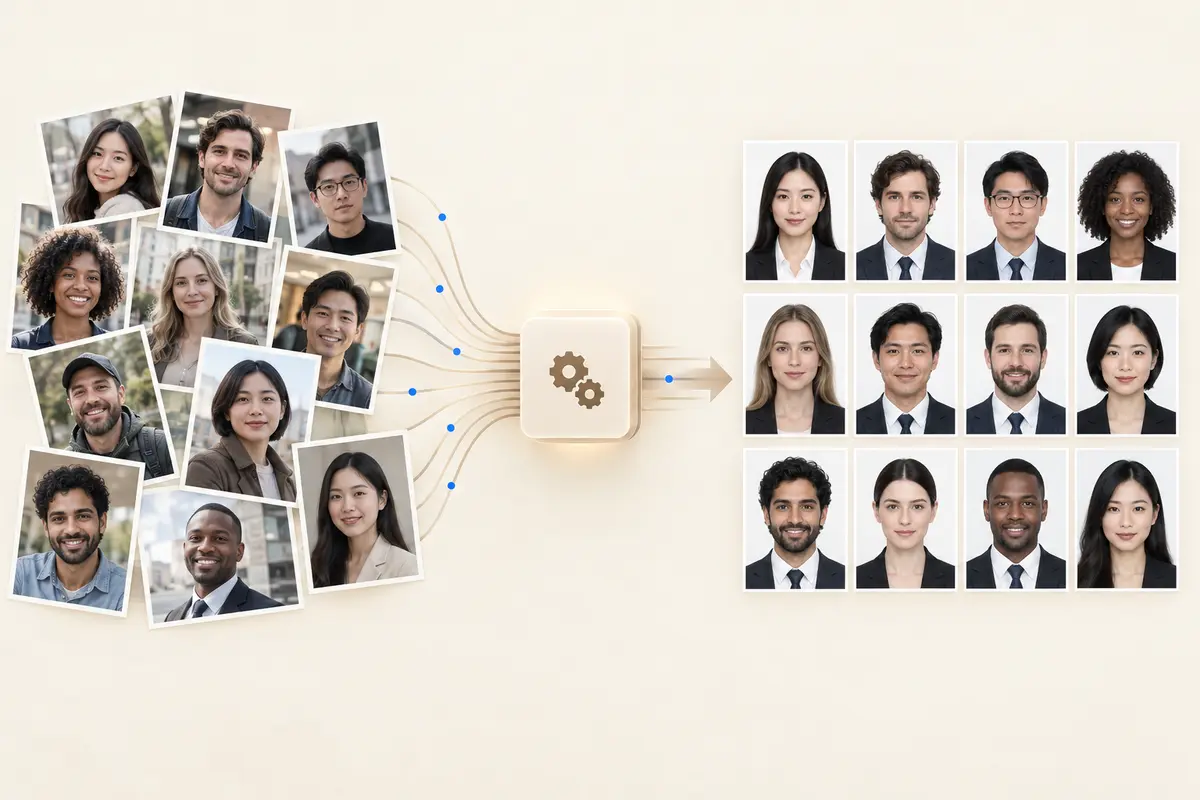
Request and per-photo response
Hosts are https://api-us.idphotoapp.com and https://api-eu.idphotoapp.com. Use the same region for every call in the run. outputFormat is S3_URL by default or IMAGE_BASE64 when you do not want the file stored on our side.
curl -sS -X POST "https://api-us.idphotoapp.com/v2/makeIdPhoto" \
  -H "Content-Type: application/json" \
  -d '{
    "apiKey": "YOUR_API_KEY",
    "apiSecret": "YOUR_API_SECRET",
    "imageBase64": "BASE64_IMAGE",
    "specCode": "us-passport",
    "outputFormat": "IMAGE_BASE64"
  }'
{
"photoUuid": "example-photo-uuid",
"waterMark": false,
"specCode": "us-passport",
"idPhotoImageBase64": "/9j/4AAQSkZJRgABAQ...",
"widthPx": 600,
"heightPx": 600,
"photoDpi": 300,
"issues": []
}The US passport detail example in the docs is 2 × 2 in, 600 × 600 px, 300 DPI, white background, neutral expression, glasses not allowed. The width and height above follow that specification, not a guarantee for every spec. Call POST /v2/getIdPhotoSpec for the code you will actually send. The spec code list documents 150+ photo specifications. Query POST /v2/listIdPhotoSpecCode rather than hard-coding the whole catalog.
Quotas, not a hidden batch limit
POST /v2/queryAccountStatus returns the quotas on the account. A subscribed example in the docs includes makeIdPhotoApiQuota, makeIdPhotoApiRemaining, and the watermark equivalents. Those numbers are the example payload, not a universal plan size. Read them from your own account before a school or employer run. A free-trial account reports accountStatus FREE_TRIAL. There is no documented batch-status webhook. Progress is how many calls your worker has finished.
Schools, employers, booths, and agencies
- Schools and universities. One student-ID specification for the card design. Each enrollment photo is a call. Incomplete shoulders come back as
ISSUE_LEFT_NOT_FULL,ISSUE_RIGHT_NOT_FULL, orISSUE_BOTTOM_NOT_FULLon that student only. - Employers and HR systems. Point the queue at the badge specification, including a Workday or SAP SuccessFactors roster you already sync. Write each finished file back to that person’s profile. See the employee badge photo API.
- Photo booth estates. Direct mode returns the JPEG immediately, which is what a booth needs. For UK passports, the same call with
uk-passportcan returnidPhotoCode. HM Passport Office still checks each photo. A code is not an acceptance. - Agencies. Mixed documents mean mixed spec codes, still one code per request. Do not send a Schengen visa portrait through
us-passportto save a branch in the worker.
Printable sheets without a second product
Optional photoSheet.sheetSizes asks for up to 10 pixel sizes in width*height form. The docs’ example is 1800*1200. The response map gives a URL per requested size. That is the print layout. It is not a mail label and it does not ship a package. Physical mailing is discussed on the print and mailing page.
How to run a batch from your queue
- Resolve the
specCodewithlistIdPhotoSpecCodeandgetIdPhotoSpec. Cache the details. Refresh when you add a custom badge size. - Put portraits on a queue. Store the idempotency key in your database, not in a field the API does not have.
- Call
/v2/makeIdPhotofrom workers. Cap concurrency so you stay inside the remaining quota. - On HTTP success, persist
photoUuid, dimensions, andissues. Onissues, route that one person to a retake using photo issue codes. - On timeout, do not blindly retry. Confirm whether the photo was created before you send the image again.
- Choose
IMAGE_BASE64when the portrait should not sit in temporary URL storage. Retention options are in the data privacy policy: temporary storage from 2 hours to 14 days, or Base64 so you store the image yourself.
A Python client for a single photo is in the sample Python code. Loop that call. Do not expect a batch SDK.
Why repeated calls instead of a bulk upload
Each portrait has its own face, its own issue list, and often its own human who must retake. A single job ID would hide that. One documented endpoint means the same request your interactive app already uses, the same watermark flow if a consumer must preview before you spend a final-photo credit, and a quota you can read before the run starts.
FAQ
Is there a batch upload endpoint?
No. The API reference documents POST /v2/makeIdPhoto for one image and one spec code. A batch is your queue repeating that call.
What happens if one photo fails?
That response fails or returns issue codes. Other portraits are separate requests. Record the failure against that person and continue the queue.
How many photos can I process?
Read makeIdPhotoApiRemaining from POST /v2/queryAccountStatus on your account. The numbers in the documentation are an example payload, not a published rate card.
Can one run mix UK passports and badge photos?
Yes, as separate calls with different spec codes. UK passport specs can return idPhotoCode. A badge specification returns the sized badge file. Do not expect a photo code on a non-UK spec.
Does the API push results to my bucket?
No. Each response is a temporary image URL or Base64, depending on outputFormat. Copy the bytes into your own storage. A direct upload into Google Cloud Storage or Azure Blob Storage is not part of the documented API.