
Do not submit an AI-edited photo for a US or UK passport. The US Department of State says not to use a photo created or edited with artificial intelligence or other digital tools. UK digital photo rules say the photo must be unedited and that you can’t “correct” it. GOV.UK guidance for photographers says digital enhancement is not acceptable. The AI Photo Editing API reference does not guarantee acceptance by an issuing authority.
The photo problems users actually submit
Real uploads are rarely studio portraits. The AI Photo Editing API reference groups them into six problems. POST /v2/aiEdit corrects only the problems it finds and leaves suitable regions unchanged.
| Problem | What the edit does | What stays |
|---|---|---|
| Pose | Turns a rotated or tilted head toward the camera and levels shoulders when needed. | Facial structure, framing, and scale. |
| Expression | Closes a broad smile or visible teeth into a calm expression. | Lip shape, eye shape, and likeness. |
| Glasses | Removes eyeglasses, sunglasses, or novelty headwear that hides the face, and reconstructs only the hidden area. | Hairline, ears, ordinary jewelry, and religious or cultural head coverings that do not hide the face. |
| Lighting | Balances harsh shadows, color casts, and exposure on the face. | Skin tone, pores, age, and texture. No whitening or makeup. |
| Quality | Reduces blur, noise, compression, and weak local contrast when the source still has detail. | Real detail. No invented features or plastic skin. |
| Shoulder | Rebuilds a shoulder or garment that ends on an unnatural edge inside the frame. | Body proportions, clothing, lighting, background, and the existing crop. |
Passport Photo API photo issue codes are the detection step: head yaw and pitch, expression, glasses, light balance, brightness, sharpness, and incomplete shoulders. Common passport photo mistakes explains the same problems in language you can show a user. For a guided capture on the person’s own device, point them to make a passport photo on your phone. That app is separate from this API, and an edit there is still subject to the issuer’s rules.
Before and after examples
These synthetic examples illustrate the kinds of corrections the endpoint is designed to make. They are not real customers or identity documents, and individual results vary with the input image.
 Before · turned head and visible teeth
 After · front-facing and neutral
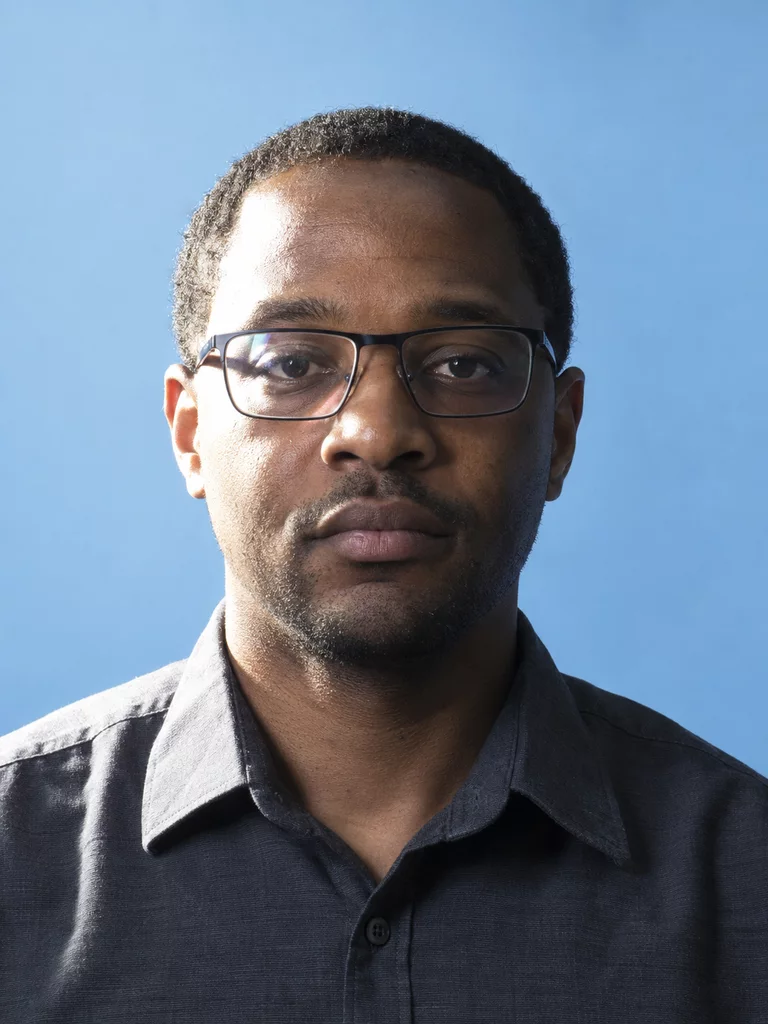 Before · glasses and hard side light
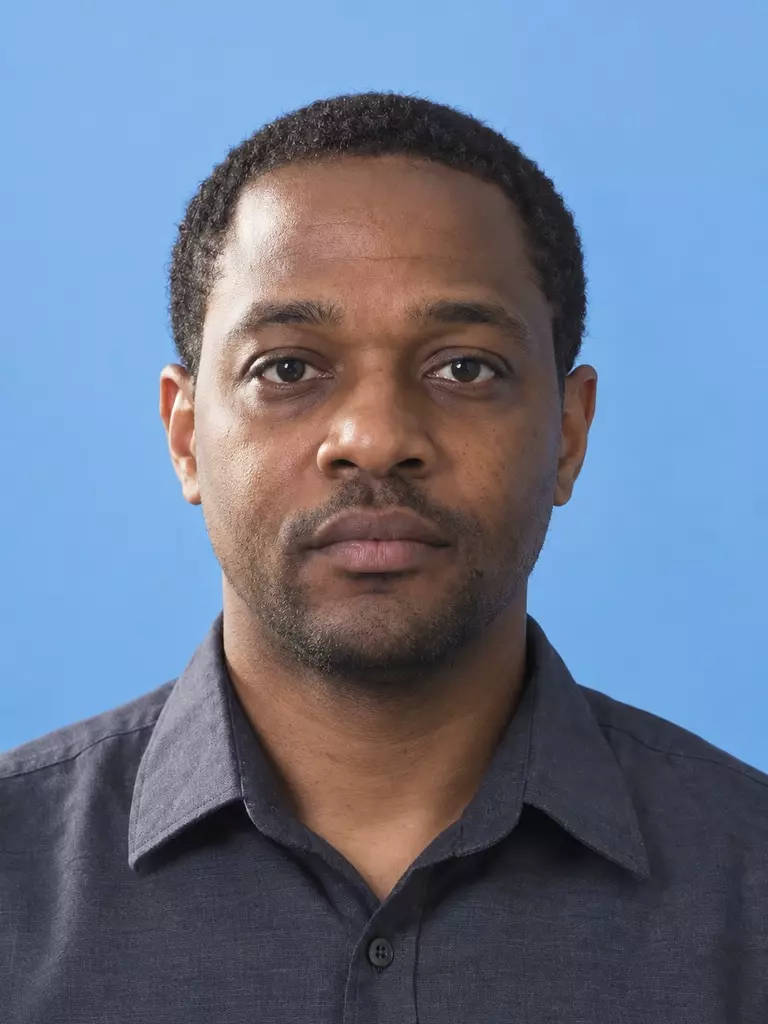 After · clear face and even light
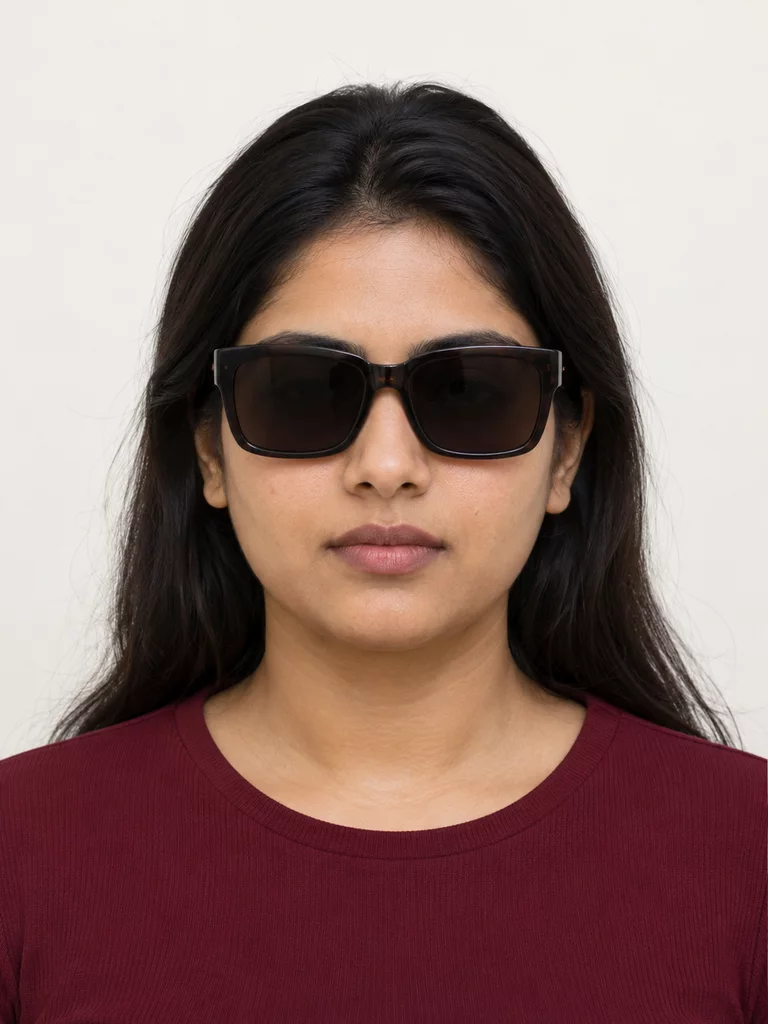 Before · eyes hidden by dark glasses
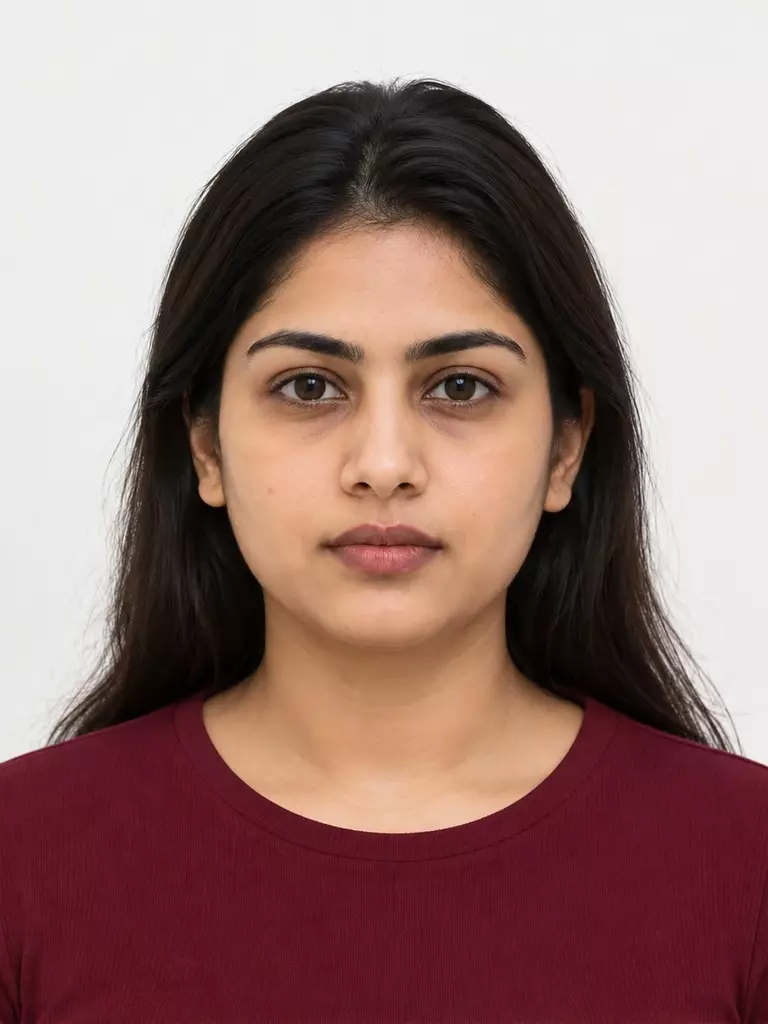 After · obstruction removed
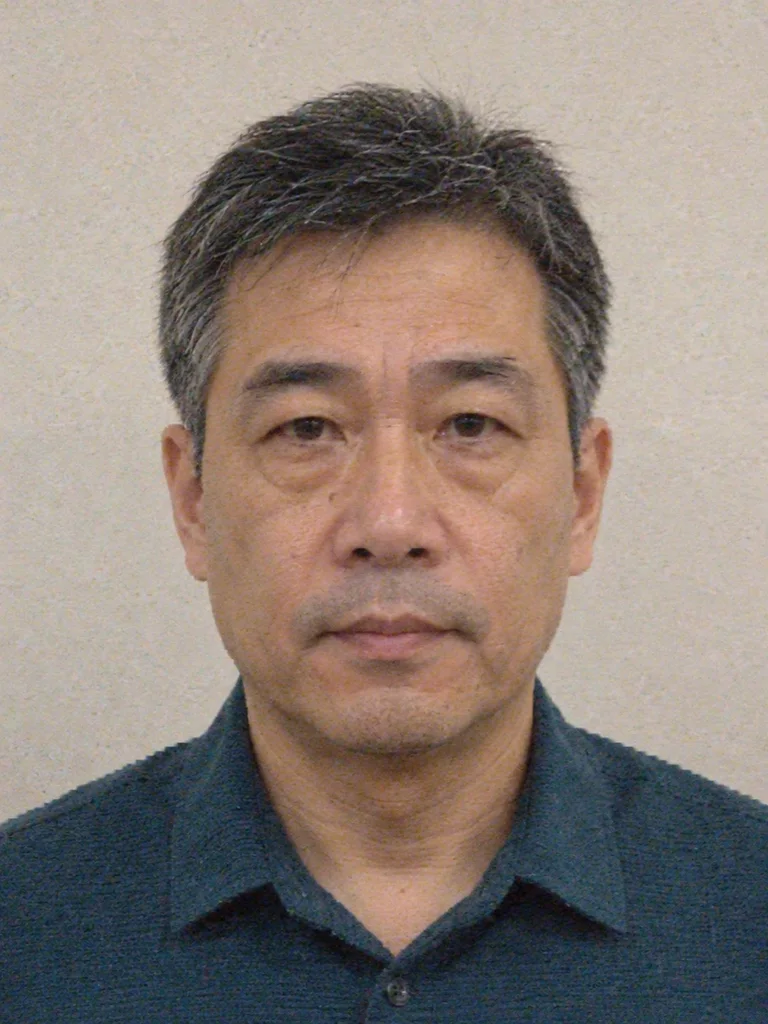 Before · blur, noise, and compression
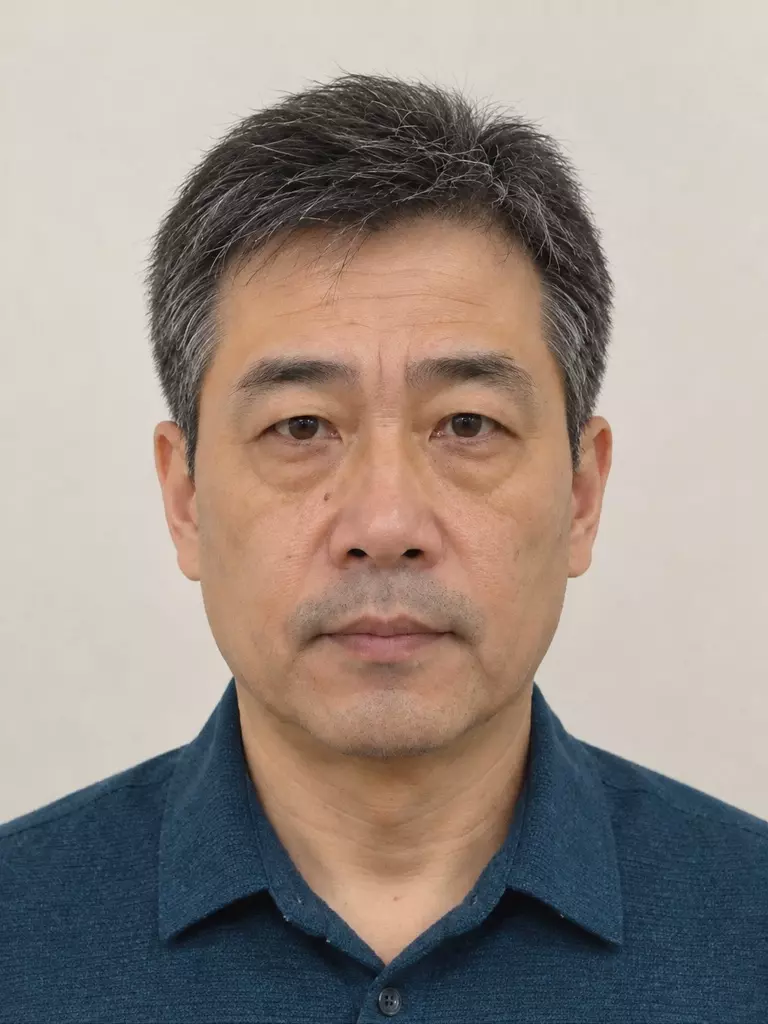 After · conservative quality recovery
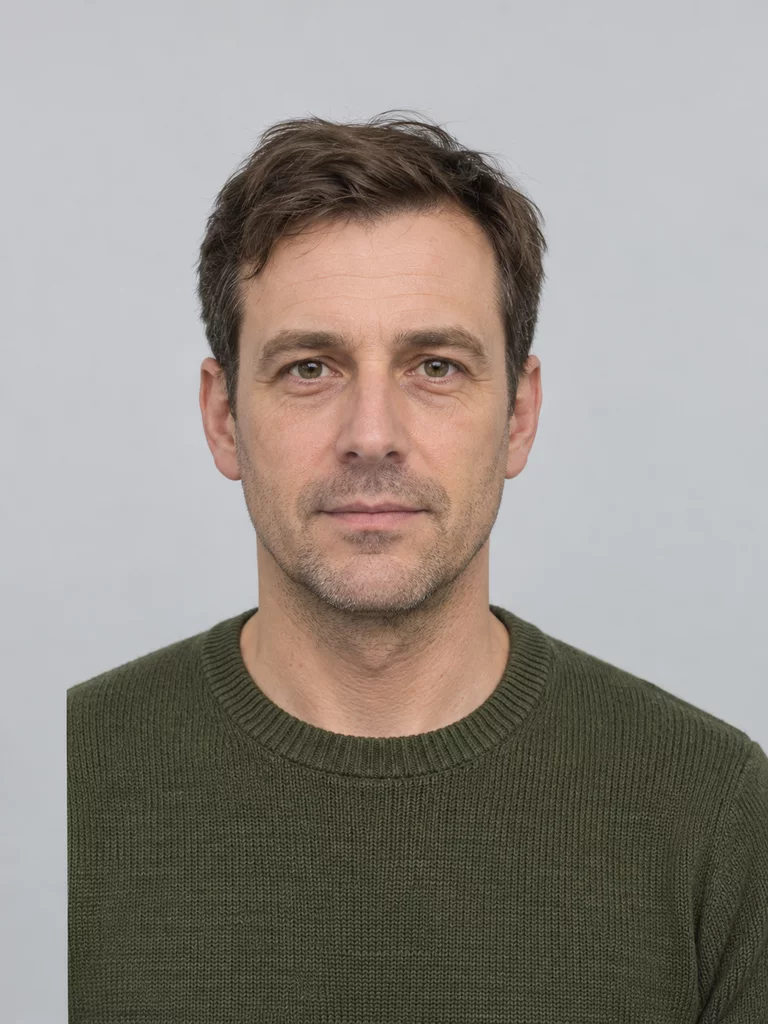 Before · shoulder cut off inside the frame
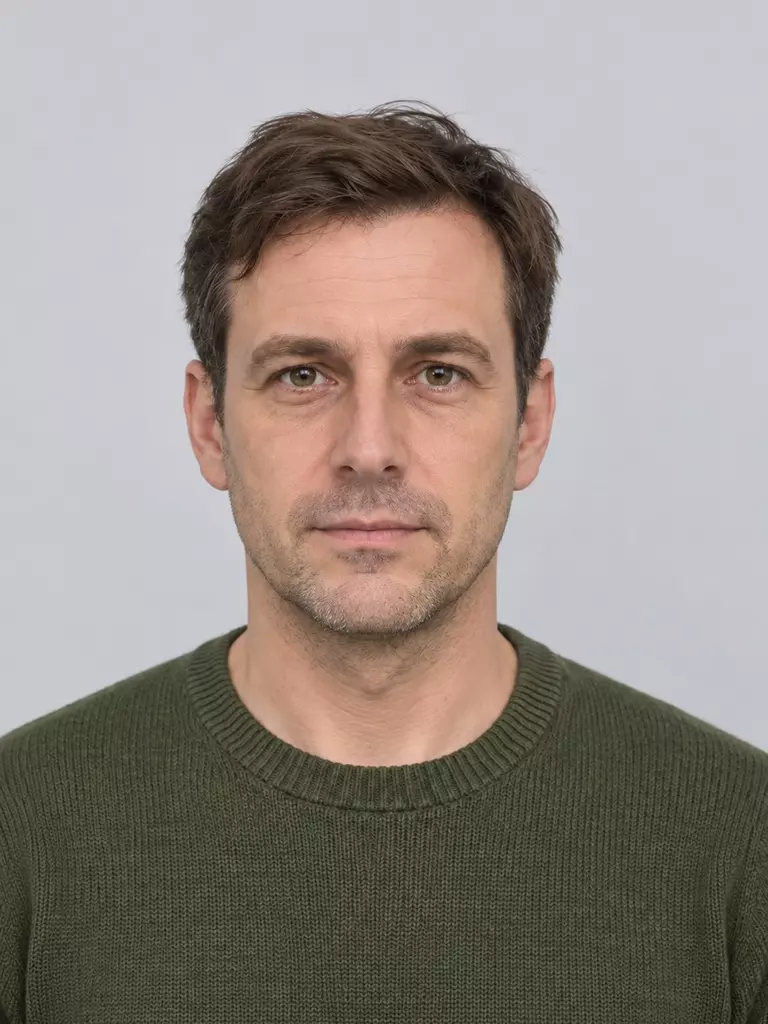 After · silhouette reconstructed
Identity-preserving by design
The endpoint’s priority is that the person stays recognizable as the same individual. It is portrait normalization, not a beauty filter. It does not slim or reshape the face, change age or skin tone, add makeup, replace the background or clothing, or fill in detail that was never in the photo. If a region is already suitable, it is left as it is.
Where AI edits are allowed, and where they are not
Government passport and visa rules are not uniform, and several of them forbid this kind of edit:
- United States. The State Department’s digital-photo instructions say not to upload a photo you created or edited with artificial intelligence or other digital tools.
- United Kingdom. Digital passport photos must be unedited. You cannot “correct” the photo. Photographer guidance says digital enhancement is not acceptable. Background cleanup that does not change the person is a separate question for the examiner; do not treat an AI face edit as allowed.
For a government ID, the workflow to recommend is detect, crop and size within the published rules, and send the person back for a new photo when the issue is pose, expression, glasses, or a changed face. Do not tell them an edited file will be accepted.
Edits fit employee badges, member cards, internal directories, and platform profile photos when your customer’s own policy allows a corrected portrait. Employee badge photos are that kind of workflow. Confirm the policy before you turn the edit on.
Recommended workflow: detect, correct, re-check
Detect issues with the Passport Photo API
POST /v2/makeIdPhoto returns the sized photo and an issues array. Map photo issue codes to a retake message. For passports, stop here when the issue is something an edit would conceal.
Correct with POST /v2/aiEdit
Use this only for scenes where a corrected portrait is allowed. One request handles the problems present in that image. Access may need to be enabled on the account.
Re-validate against the target spec
Pass the edited portrait through the Passport Photo API again with the destination specCode. A successful edit does not select a document size or clear the issue list. Read photo spec codes for the code to send.
API request and response
Full fields are in the AI Photo Editing API reference. Hosts are https://api-us.idphotoapp.com and https://api-eu.idphotoapp.com.
curl -sS -X POST "https://api-us.idphotoapp.com/v2/aiEdit" \
  -H "Content-Type: application/json" \
  -d '{
    "apiKey": "YOUR_API_KEY",
    "apiSecret": "YOUR_API_SECRET",
    "imageBase64": "BASE64_IMAGE",
    "outputFormat": "JPEG",
    "outputType": "IMAGE_BASE64"
  }'
{
"output": "/9j/4AAQSkZJRgABAQ...",
"width": 600,
"height": 800
}output is Base64 without a data-URI prefix. width and height are the output pixels. To show a JPEG, prefix data:image/jpeg;base64,. Do not log credentials or the full image payload.
Use cases
- Employee badges — Correct glasses, shadows, and pose on employee badge photos when the employer allows a normalized staff portrait.
- Bulk organizational photos — Review issue codes across a directory, edit only the files your policy allows, then process the set with the batch workflow.
- Photo-shop pre-check — Before a UK passport photo code is issued, show issue codes and ask for a new capture. Do not “correct” the UK passport photo.
- Quality gate in a photo app — Block a submission that fails pose, expression, or sharpness, and explain the retake. Link consumers who want a guided capture to make a passport photo on your phone.
Why use this endpoint instead of a generic editor
POST /v2/aiEdit looks at one portrait and corrects only the problems it finds: pose, expression, glasses, lighting, recoverable quality, and a shoulder that ends on an unnatural inner edge. Regions that are already fine stay as they are. The edit is built to keep the person recognizable. It does not slim the face, add makeup, or replace the background and clothing. You still pass the result through the Passport Photo API, because an edit does not choose a document size or clear the issue list. Access may need to be enabled on the account. The boundary is part of the product: AI-edited photos are not acceptable for US or UK passports. Use the endpoint for employee badges, member cards, directories, and other workflows whose policy allows a corrected portrait. For a government passport, detect the issue and ask for a new photo.
FAQ
Can I use AI-edited photos for a passport?
No for US and UK passports. The US Department of State says not to use a photo created or edited with artificial intelligence or other digital tools. UK rules say a digital passport photo must be unedited and that you cannot correct it. Other issuers set their own rules. For a government passport or visa, detect problems, crop and size only where that is allowed, and ask the person to retake the photo when an edit would change them.
Does it change the person's face?
It is built to keep the person recognizable. The edit does not slim, reshape, rejuvenate, or beautify the face, change skin tone, replace clothing or the background, or invent detail the source photo does not contain. Review the result before you use it.
What formats are supported?
Send a Base64 JPEG or PNG of a single person, with or without a data URI prefix. outputFormat may be JPEG or PNG. If you omit it, the input format is used. The response returns the image as Base64 in output, plus width and height.
How is data handled?
Send the image from your server to the US or EU regional endpoint. Transmission is encrypted. This endpoint returns Base64, so you can avoid storing the photo on our service. See the data privacy policy for retention options on other endpoints.
Is access enabled by default?
Not always. The AI Photo Editing API documentation says access to POST /v2/aiEdit may need to be enabled for the account. Contact support if the endpoint is not available on your key.