
The Print & Mailing API prints compliant passport photos and mails them to your customers. API availability per request: contact support@idphoto.ai with your destination countries, print sizes, and expected volume. You can also generate a printable photo sheet on the Passport Photo API. photoSheet.sheetSizes asks for one or more pixel layouts, up to 10, and the response returns a URL for each sheet. Many UK applications do not need a print at all: they need a UK passport photo code.
A printable sheet from the same call that sizes the photo
Government and visa workflows still ask for paper in some cases. The digital specification and the sheet are one request. You send the portrait and the specCode. You may also send sheetSizes as width*height in pixels. The example in the docs is 1800*1200, a sheet of repeated copies. The single ID photo is still returned as a URL or Base64. The sheet is an extra map of size to URL.
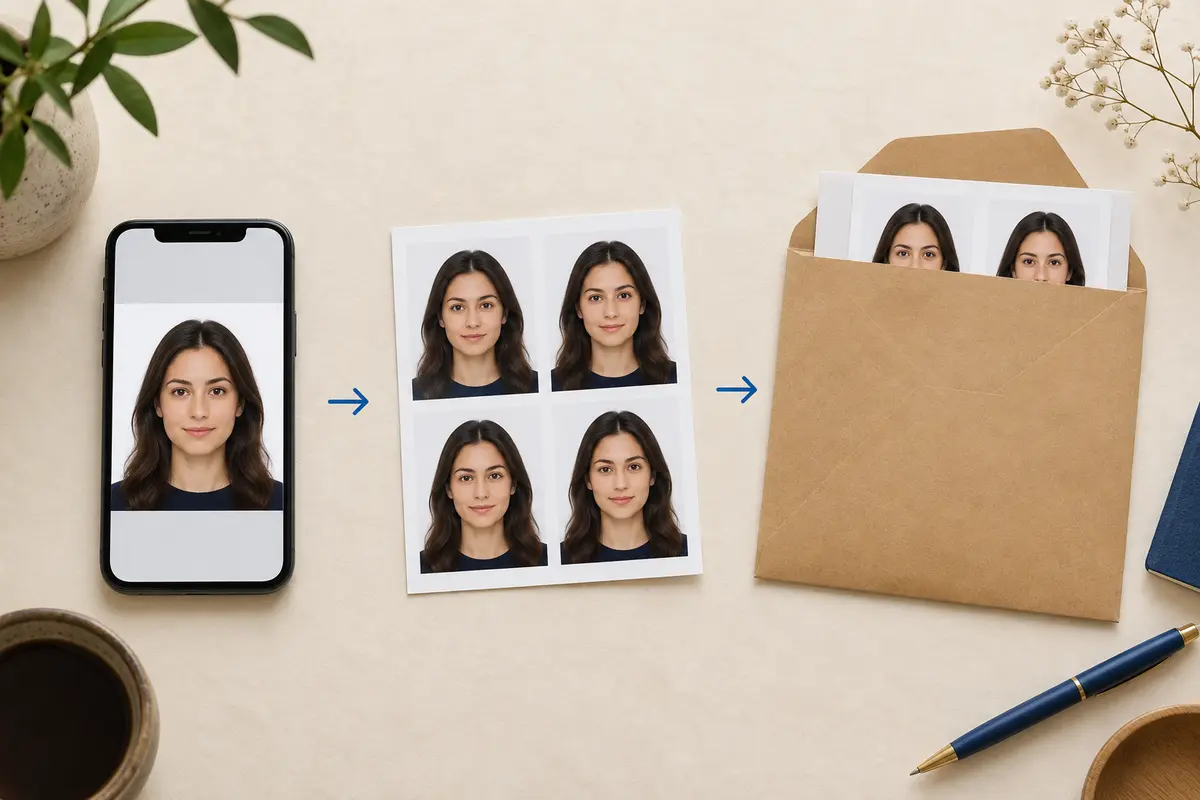
Photo sheet request and response
curl -sS -X POST "https://api-us.idphotoapp.com/v2/makeIdPhoto" \
  -H "Content-Type: application/json" \
  -d '{
    "apiKey": "YOUR_API_KEY",
    "apiSecret": "YOUR_API_SECRET",
    "imageBase64": "BASE64_IMAGE",
    "specCode": "us-passport",
    "photoSheet": { "sheetSizes": ["1800*1200"] }
  }'
{
"photoUuid": "example-photo-uuid",
"specCode": "us-passport",
"idPhotoUrl": "https://example-signed-url",
"widthPx": 600,
"heightPx": 600,
"photoDpi": 300,
"issues": [],
"photoSheet": {
"1800*1200": "https://example-sheet-url"
}
}US passport details in the specification example are 2 × 2 in and 600 × 600 px at 300 DPI. Sheet URLs follow URL output. The privacy policy describes temporary storage from 2 hours to 14 days for that option. Download the sheet into your own storage if the user will print later. You can also ask for a sheet on POST /v2/getIdPhotoNoWatermark after a watermarked preview, using the same photoSheet object.
When a code replaces a mailed print
For a UK passport applied for online, the applicant enters a photo code. The supplier hosts the JPEG. HM Passport Office retrieves it. You do not need to mail a 35 × 45 mm print for that path. Generate idPhotoCode with uk-passport or uk-digital-passport. The code is not an acceptance decision. Other countries still require paper. Check the issuer. Do not assume a sheet URL satisfies a consulate that wants a specific paper size from the applicant’s own printer.
Print & Mailing API — available per request
Print & Mailing API — availability per request. Contact support@idphoto.ai to enable printing and mailing for your countries, print sizes and volumes.
The Print & Mailing API prints compliant passport photos and mails them to your customers. Email support with your destination countries, print sizes, and expected volume so printing and mailing can be enabled for your account.
Apps, agencies, and studios that still need paper
- Passport photo apps. Let the user download the sheet and print at home, or hand them a UK photo code when the application is online. To mail prints, enable the Print & Mailing API. It is available per request for the destination countries, print sizes, and volumes you need.
- Travel agencies. Attach the sized JPEG to the case file. If the visa pack needs paper, use a sheet URL or the Print & Mailing API, which is available per request. The issue list tells you whether to retake before anyone spends ink.
- Studios.
sheetSizescan match the paper you load. Up to 10 sizes per request. The booth still captures. The API sizes and repeats. - HR. Badge printers usually want the single cropped file, not a passport sheet. Use the badge specification. Employee badges stay with your card vendor. Passport photos that should be mailed use the Print & Mailing API, available per request.
How to request a printable sheet
- Pick the
specCodewithPOST /v2/getIdPhotoSpecso the single photo matches the document before you repeat it on a sheet. - Call
/v2/makeIdPhotowithphotoSheet.sheetSizesset to the pixel sizes you print. Stay at or under 10 sizes. - If
issuesis not empty, do not print. Map photo issue codes to a retake. - Download
photoSheetURLs promptly. They are temporary. - For a consumer app, use watermark mode first so the sheet is only requested on
/v2/getIdPhotoNoWatermarkafter the user confirms. - To mail prints to customers, contact support@idphoto.ai. The Print & Mailing API is available per request.
Why the sheet lives on the Passport Photo API
The crop and the print layout stay in one response, so you cannot print a sheet of a photo that used a different specification than the file you store. You also see issue codes before ink. When customers need the print posted to them, the Print & Mailing API prints and mails it. API availability per request.
FAQ
Can I mail a passport photo through the API?
Yes. The Print & Mailing API prints compliant passport photos and mails them to your customers. Availability is per request — contact support@idphoto.ai with your destination countries, print sizes and expected volume.
How do I request a print layout?
Add photoSheet.sheetSizes to POST /v2/makeIdPhoto. Each entry is width*height in pixels, for example 1800*1200. You can request up to 10 sizes. The response photoSheet object maps each size to a URL.
Does a UK passport application need a mailed print?
The online UK application accepts a photo code. Generate idPhotoCode with a UK passport spec. HM Passport Office still checks the photo. Paper rules for other documents are set by those issuers.
How long is the sheet URL valid?
URL output uses temporary storage. The data privacy policy describes a retention period of 2 hours to 14 days for that option. Copy the file into your own storage if the user will print later. Base64 output is the alternative when you do not want the image stored on our service. Sheet fields in the reference are returned as URLs.
Should I print when the response includes issue codes?
No. A sheet can come back alongside issues. Read the array and ask for a new photo when the problem would make the print unusable. An empty issues array is not an acceptance letter from a passport office.