
The question this endpoint answers is narrow: do the faces in two images look like the same person, at the threshold you set? POST /v2/faceMatch returns isMatch and similarity. It does not read a document, check liveness, or issue a KYC decision. The Face Match API reference is the contract. Access is enabled separately from the passport-photo key.
Compare an ID photo with another portrait
A typical pair is the portrait you already store and a new capture. That might be the employee badge photo on file and a selfie taken at a security desk, or the photo just produced by the Passport Photo API and a second frame from the same session. One clearly visible face in each image. Extreme pose, heavy blur, occlusion, or a very small face makes the score less useful. Run photo issue codes first if the new capture is also supposed to be an ID photo.
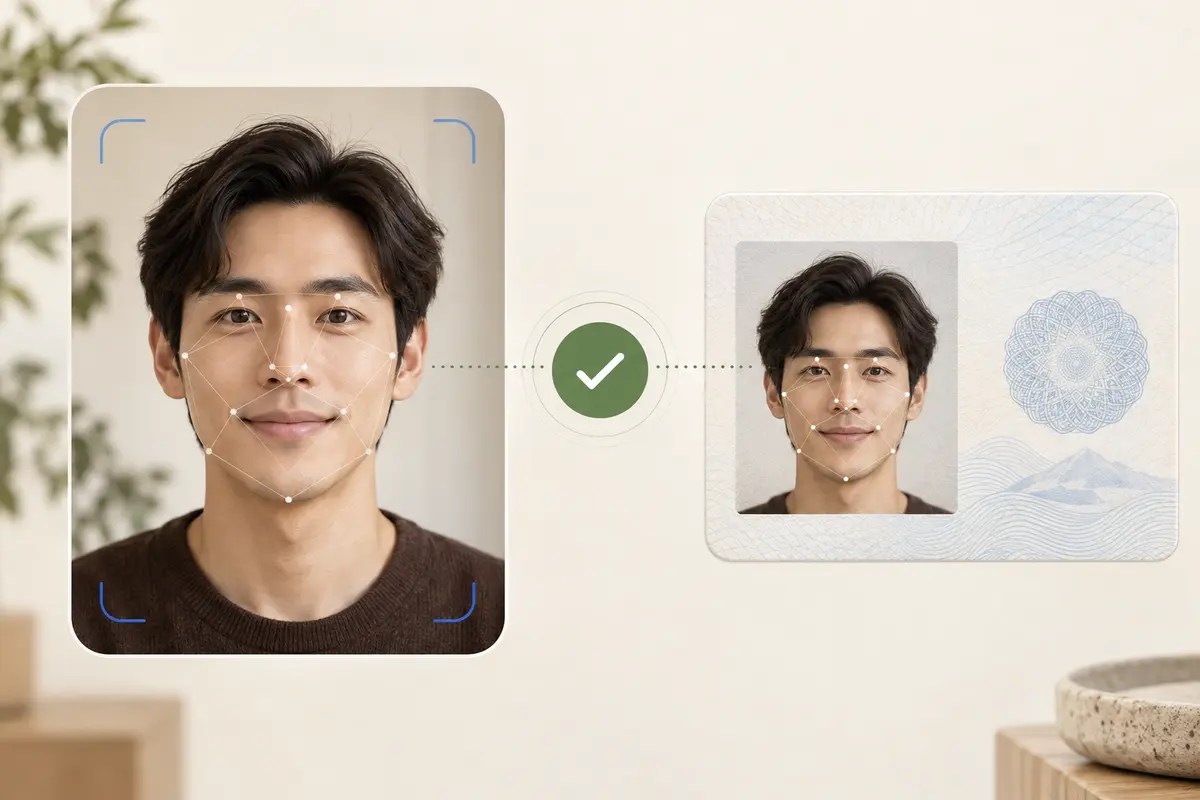
Face Match request and response
Use the regional host for the account: https://api-us.idphotoapp.com or https://api-eu.idphotoapp.com. Send both images from your server.
curl -sS -X POST "https://api-us.idphotoapp.com/v2/faceMatch" \
  -H "Content-Type: application/json" \
  -d '{
    "apiKey": "YOUR_API_KEY",
    "apiSecret": "YOUR_API_SECRET",
    "sourceImageBase64": "data:image/jpeg;base64,...",
    "targetImageBase64": "data:image/jpeg;base64,..."
  }'
{
"isMatch": true,
"similarity": 0.82
}similarityThreshold is optional. Omit it to use the threshold configured for your integration. If you send one, test it on your own photos before you block a user. The example score above is the sample in the API reference, not a benchmark for your traffic.
How to set a threshold without fooling yourself
Similarity numbers are not portable. The docs say not to compare scores from different services or assume they share a scale. A custom threshold has two failure modes you have to price in: a false match, and a false rejection. Collect a set of true pairs and true non-pairs from the cameras you actually ship, including glasses, a year-old badge photo, and a dim hallway. Then pick the cutoff. Treat authentication failures, invalid image data, a missing face, and timeouts as different outcomes from isMatch: false.
Apps, agencies, HR, and security
- Apps. After the user accepts an ID photo, compare it with the selfie they used to start the flow. Show a retake when the faces do not match. Do not tell them the account is “verified” in a legal sense.
- Agencies and visa desks. Compare the portrait you will submit with the portrait already on the application, so a swapped file is caught before upload. The issuing authority still reviews the application.
- HR. During onboarding, compare the new employee badge photo with the photo the person used on their application. A mismatch is a queue for a human, not an automatic denial.
- Security and facilities. At a desk or kiosk, compare a live capture with the badge portrait you stored. You still own the camera, the lighting, and what happens on a non-match. This API does not unlock a door.
What a match does not decide
The reference does not include liveness detection, document OCR, MRZ reading, a document catalog, or anti-spoofing. A deepfake policy, if you need one, is your product’s problem to solve with a control this endpoint does not claim. If you were looking for emotion, age, or gender, that is not this API either. Portrait quality checks are issue codes on the Passport Photo API.
How to call Face Match from your server
- Confirm Face Match is enabled for the credentials. The docs say access is provided separately.
- Keep
apiSecretand both payloads on the server. Do not call this from a browser bundle. - Normalize capture first: one face, enough resolution, no heavy occlusion. Reject unusable images before you spend the comparison.
- Call
/v2/faceMatch. Branch on HTTP errors separately fromisMatch. - Log the decision and the threshold you used. Do not log the images. Read the data privacy policy for retention. Base64 responses on other endpoints can avoid storing the photo on our service. This call returns a score, not an image.
Why call this instead of shipping your own model
You get a single comparison with an explicit boolean and a score, a threshold you can override, and a written warning that the score is not a legal identity decision. The same account can already create the reference portrait with the Passport Photo API or a badge specification, so the photo you compare is the photo you issued.
FAQ
Does Face Match perform liveness or KYC?
No. The published API compares two faces and returns isMatch and similarity. It does not describe liveness, document OCR, MRZ reading, or anti-spoofing. Your application decides what a match is allowed to unlock.
What images should I send?
Send sourceImageBase64 and targetImageBase64. Use one clearly visible face in each image. Avoid extreme pose, heavy blur, strong occlusion, and very small faces.
How do I interpret similarity 0.82?
That value is the sample in the API reference. Interpret similarity together with the threshold used for the request. Scores from this API are not comparable with scores from another vendor.
What is the difference between a non-match and an error?
isMatch false means the comparison ran and the score did not meet the threshold. Authentication failures, invalid image data, a missing face, and timeouts are different failures. Handle them separately.
Can I compare a passport photo with a selfie?
Yes, if both images contain one usable face. The result is a technical comparison. It does not mean a passport office has accepted the photo, and it does not replace the issuer’s own checks.