

A staffing agency or a business-process outsourcing firm can collect a usable photo for a remote hire without a studio visit. Send one link in the firm’s name, prepare a separate file for each client’s badge and for any visa or work-permit document, and place those files on the placement before the start date. The client still decides who receives a badge. The authority that issues a visa or permit still decides that application.
This guide is for operations directors, compliance leads, and account managers who own a start-date promise. The applicant tracking system stays the record of the placement. Employers collecting photos for their own payroll follow how HR teams collect employee badge photos. A staffing desk prepares a file for someone who will work at a client, often before that client has an employee record. Starting from $0.20 per photo.
What does a late photo cost a staffing desk?
The cost shows up as a slipped start date, a recruiter chasing a chat thread, and a day the person cannot be billed because they cannot be badged.
The job order says “photo required,” and nobody has the template. Security has a card design. The recruiter has a sentence. The rejection arrives after the candidate has already planned around the start date.
A chat thread becomes the file. A kitchen, a second person, or a crop that cuts the shoulders is the only copy, and stretching it for a second client puts the reprint in the start week.
A visa photo and a badge photo get mixed. The visa file follows the issuer’s page. The badge follows the client’s template. Leave a US or UK passport photograph unedited. The U.S. Department of State publishes passport photo rules, and a separate page covers U.S. visa photos. A UK passport photograph must meet GOV.UK photo rules.
The right-to-work check gets filed as the badge. In the United States, Form I-9 is the employer’s examination of identity and work-authorization documents (USCIS). In the United Kingdom, a right-to-work check follows GOV.UK. A badge portrait is a different task.
A site opening is a spike. One bad file should hold one person. Photos on recruiter phones are hard to explain when a candidate asks which client received their face.
How do agencies collect hire photos today?
Most desks inherited the photo step from whoever used to email the client’s security team.
- The checklist says “send a headshot.” It skips the template, the glasses rule, and whether this placement also needs a visa or work-permit photograph.
- The candidate leaves your process. A booth helps when it knows the document. A counter that hands over a passport strip is the studio and pharmacy workflow, a different offer from a placement file.
- Someone checks each file by eye. Last year’s notes and a desktop crop. New coordinators learn the rules when the queue is longest.
- The placement and the photo are separate. The tracking system shows the person as ready. The photo sits in email under a first name.
- A second client means a second chase. The old crop misses the new template. The HR badge page is that client’s own path for people already in Workday or SAP SuccessFactors.
- The rejection arrives, and the original was not saved. The inbox, a laptop, and a shared drive each hold a copy. The capture you would reuse is the one nobody kept.
What does one link per placement look like?
Name every file before the first link goes out.
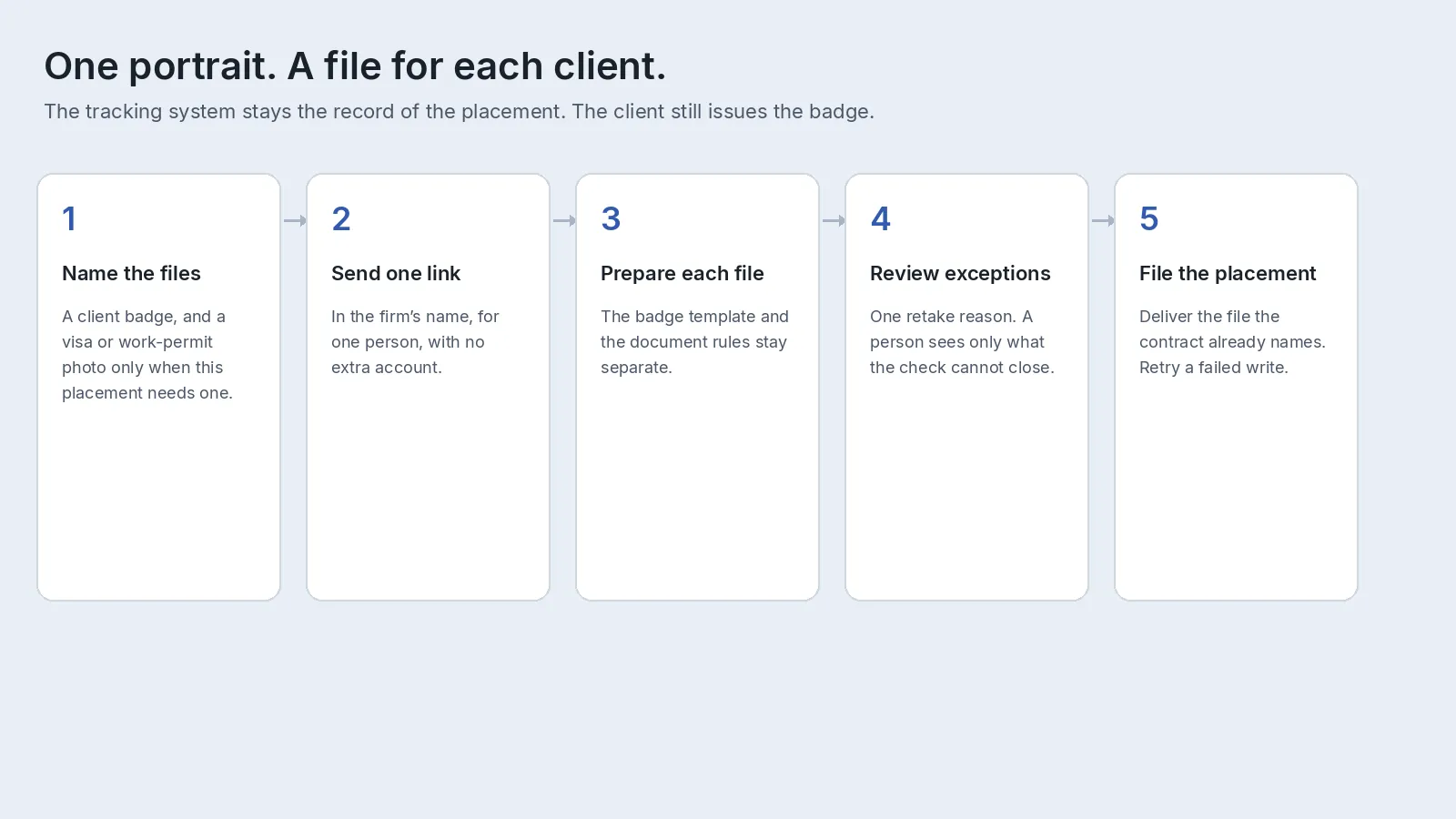
1. Name every file on the placement. Confirm size, background, and glasses with whoever prints the card. A badge and a visa or work-permit photograph are separate files from one portrait. ID-1 card stock is nominally 85.60 mm by 53.98 mm under ISO/IEC 7810. Your template sets the photo window. The catalog covers 300+ specifications across 200+ countries, and support can add a missing size. A visa follows the issuer’s page. See managing visa photo requirements. If a law firm files it, use the immigration photo workflow and keep the badge here.
2. Collect on a link that belongs to one person. Send it from the placement, in the firm’s name. The badge photo service can email a unique link. The person uploads from a phone, tablet, or computer, with no extra account, and the link expires after use. That portal is available per request. Contact support@idphoto.ai to enable it.
3. Ask for a normal portrait, then apply that file’s background. One person, in color, face in focus, head upright, even light, both shoulders in frame, glasses off when that file says so. Background removal applies a plain ground, so a white wall is unnecessary. Leave a religious head covering in place when the written rules allow it.
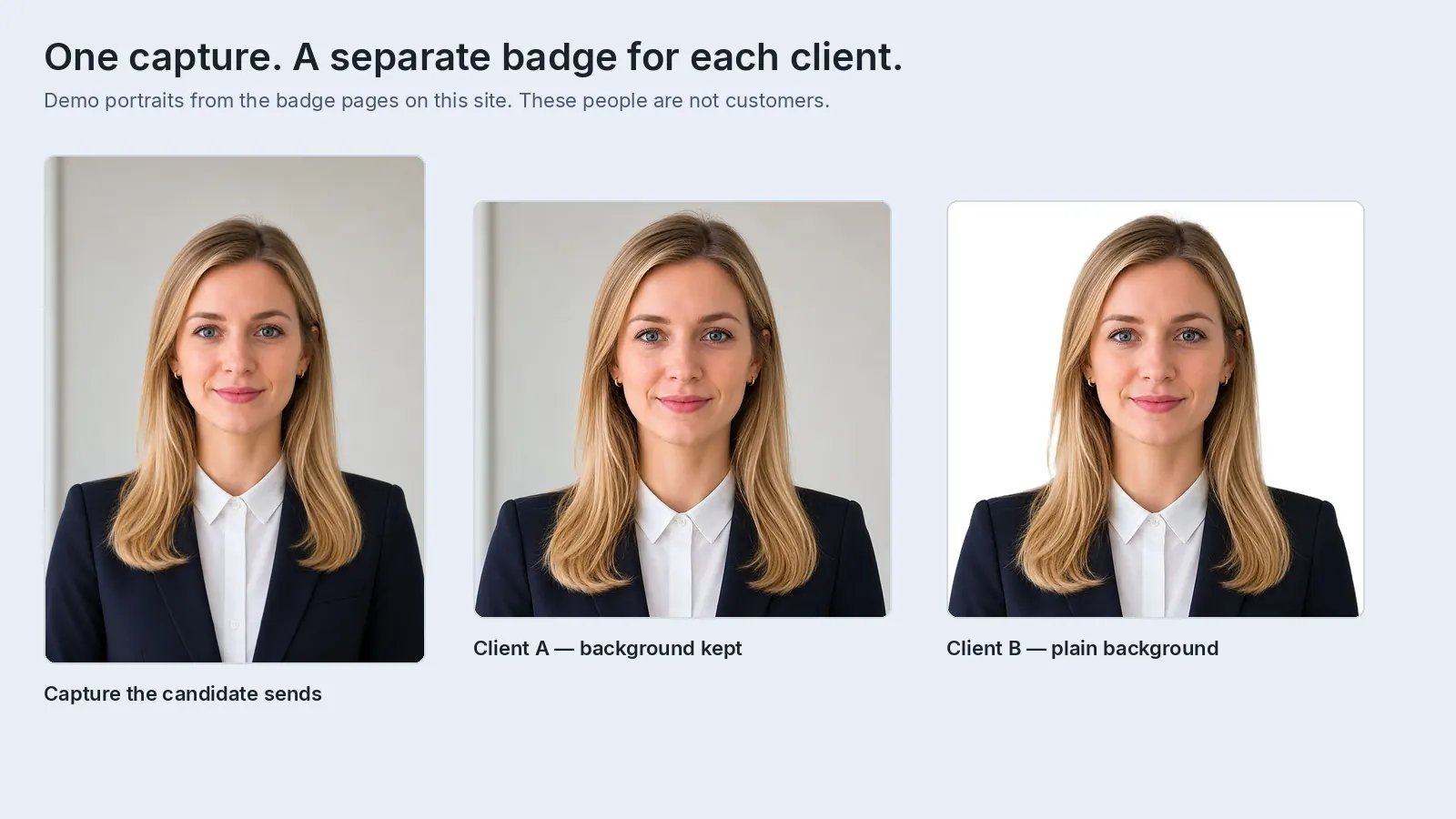
4. Prepare each file from that portrait. The service crops and sizes to the specification you named, and you label the file with the person, the client, and the document. Where policy allows a correction on a staff badge, photo enhancement can lift a dark portrait. Leave a US or UK passport photograph unedited. Fixing passport photo problems is the retake path, and the receiving office still decides.
5. Reject an unusable capture in the same task. The check can flag a missing face, background, light, blur, framing, glasses, or a turned head. The candidate gets one instruction, from the common mistakes guide, while they are still in the flow.
6. Leave an exception queue, then write the file back. A clean check means those capture problems were not reported. The client still decides the badge. On a replacement, a face comparison returns a match decision and a similarity score. Liveness detection is available per request. Contact support@idphoto.ai. See biometric verification. Copy the file into the placement and retry a failed write. Keeping photos in your own storage covers taking that copy back.
7. Hand the client a file on the channel the contract already names. Roster sync and writing the badge back to Workday or SAP SuccessFactors are available per request, when you are allowed to write there. Wait for support@idphoto.ai to confirm the tenant before you tell candidates it is on. Otherwise deliver the file to the card office. A paper print can use a print sheet. Print and mailing is available per request.
8. Run a site opening as one portrait at a time. One unusable photo stays with that person. Batch ID photo preparation uses one specification and a retake list. A second client template is a second specification. Agree the photo deadline with the start date, and name who answers a rejection that came from the wrong template.
9. Keep a passport or visa photo on its own path. A UK passport photograph must meet GOV.UK photo rules, and UK digital photographs must be unedited. A UK passport photo code lets the applicant retrieve that photograph for checking. HM Passport Office still decides the passport. This service is separate from HM Passport Office. On the slip, say that the photograph meets GOV.UK rules.
Where do remote-hire photos usually fail?
Coordinators see these breaks after a contract is already signed.
| What fails | What to change |
|---|---|
| The requisition has no template | Record size, background, and glasses with the card office before the link goes out. |
| The chat reply says “better photo” | Send one reason while they are still in the flow: distance, direction, shoulders, light, or glasses. |
| The badge crop is reused as the visa | Start a second file from the same portrait. Leave a US or UK passport photograph unedited. |
| The selfie is filed as the right-to-work check | Keep Form I-9 or the UK check on the employer’s process. The portrait stays a separate file. |
| The photo lives on a recruiter’s phone | Write the finished file to the placement. Delete the chat copy on your candidate-data schedule. |
| Two clients, one JPEG | One specification per card design. A transfer is a new file. |
| The whole cohort stops for one person | Each portrait stands alone. The retake list names that person. |
| A link reaches the wrong candidate | One link per person, expired after use, sent from the placement. |
What should a staffing firm require from a vendor?
Operations, compliance, and the account team can share this shortlist:
| What you need | What good looks like |
|---|---|
| A specification per client and per document | Each badge has its own size, crop, and background. A visa file uses the issuer’s rules. A missing template can be added. |
| Rejection before a manual crop | Background, light, framing, glasses, and face position caught on upload, with one retake line. |
| Collection inside the placement | One link per person, in the firm’s name, with no extra account. It expires after use. |
| Your record, and the client’s handoff | The file returns to the placement. Workday or SAP SuccessFactors sync is available per request when you may write there. |
| A separate path for travel documents | A UK passport photograph meets GOV.UK photo rules. Print and mailing is available per request when paper is still required. |
| A check a coordinator can explain | Face comparison against the portrait on file. Liveness detection is available per request. |
| Privacy and retention | Encryption in transit, a written window, and a lasting copy in the firm’s own storage. |
Who is allowed to see a candidate’s photo?
A candidate’s portrait is personal data, and the placement often shares it with a client the person has only just accepted. The candidate, the coordinator on that placement, and the named client may see it. Hold the file back from any client the person has not been submitted to.
Keep the lasting copy on the retention schedule you already use for candidate data. In the UK and the EU that includes the GDPR. In California it includes the CCPA. The data privacy policy describes encrypted transmission, temporary storage from 2 hours to 14 days, or taking the image so nothing is retained on the service. Copy the file into your record before that window ends. US and EU processing are available. Other regions are available per request. Tell the candidate which client receives the photo and how long you keep it.
How do you roll this out for one client?
Start with one client and one badge. Confirm the window, the background, and the glasses rule with whoever prints the card. Leave visa and work-permit files on today’s path until you have read that issuer’s current photo page.
Run one real cohort, and teach the retake. Keep a camera at any site you staff. Name one owner who can decide, the same day, whether a candidate stays on the new path. The retake is one person, in color, face in focus, even light, head upright, both shoulders in frame, glasses off when required. Open a second client after the retake script and the write-back have both held.
Connect the placement record before a client HR system. Prove a clean upload, a retake, and a write that fails once and is retried. Add Workday or SAP SuccessFactors only after support has confirmed it for that tenant, and only if you are allowed to write the profile. A public passport-photo offer stays outside the candidate record. The ready-made Shopify template, with one-click setup, is available per request. See the Shopify guide and email support@idphoto.ai.
What do operations leads ask?
Is collecting a photo for a remote hire the same as an employer badge program?
An employer’s own new hires follow the HR onboarding path, including Workday or SAP SuccessFactors when those systems already hold the roster. A staffing agency or BPO collects a photo for someone who will work at a client and delivers the file the way the contract names. Connect to the client’s HR system only after support has confirmed that integration for the tenant.
Does the badge photo replace Form I-9 or a UK right-to-work check?
Keep Form I-9 and a UK right-to-work check on the employer’s process. A badge portrait is a separate file. Put both tasks on the placement checklist.
Can one selfie become every client’s badge?
The same portrait can start each file. Prepare every badge from that client’s specification, because the size, the crop, and the background differ.
What if the placement also needs a visa or work-permit photo?
Add it as another file, using the issuer’s published rules. Leave a US or UK passport photograph unedited. A UK passport photograph must meet GOV.UK photo rules. The authority still decides the visa.
How can the firm tell the person was present for the capture?
A face comparison returns a match decision and a similarity score against the portrait already on the placement. Liveness detection is available per request. Contact support@idphoto.ai to enable it. The employer still owns right-to-work, and the client still owns the badge.
Does a clean photo check mean the client will issue the badge?
A clean check means the capture problems you configured were not reported. The client still decides who receives a badge. A passport office or consulate still decides any travel document.
Where should candidate photos be stored?
Keep the lasting copy on the placement, on the retention schedule you already use for candidate data. You can take the image so nothing is retained on the service, or use a temporary link kept for 2 hours to 14 days and copy the file before that window ends.
Can the firm also sell passport photos to the public?
Yes, on a storefront outside the candidate record. A ready-made Shopify template with one-click setup is available per request. Email support@idphoto.ai. Preparing a photo starts from $0.20 per photo. Any fee you charge is your price.
How does idphoto.ai fit this workflow?
idphoto.ai is the photo step for this workflow. Through the API, the service prepares a portrait to the specification you name, checks the capture, and returns a file for the placement, the client handoff, or a printer. Support can add the badge template a client prints. The catalog covers 300+ specifications across 200+ countries. Starting from $0.20 per photo. A UK passport photograph, when a placement needs one, must meet GOV.UK photo rules.
The self-service link, Workday or SAP SuccessFactors sync, print and mailing, liveness detection, another processing region, and the Shopify store template are each available per request. The client remains the issuer of the badge, and the authority remains the reviewer of any visa or passport.
Email support@idphoto.ai with the badge sizes you deliver, whether candidates upload by link or at a site you staff, how the file should return to the placement, which client systems you are allowed to write, and any privacy requirements. The firm keeps the decision on which placements use the new path.