

A data center keeps a photograph a lobby can match by holding three files apart: the staff badge, the contractor or vendor card, and the visitor pass. Name the file before anyone uploads, capture it before the person reaches a cage, and store an end date on every card the facility prints. A customer’s own badge, a government photo ID, and a Form I-9 portrait stay on the path that issued them.
Year-round technicians follow the employee badge page and the HR badge guide. Other crews follow the staffing, security, contractor, utilities, and immigration guides. Starting from $0.20 per photo.
What does one shared photograph cost a data center?
The cost shows up at the lobby, while a maintenance window is already on the clock. A contractor card from last quarter still opens a cage. One crop is asked to serve the staff badge, the visitor sticker, and a visa.
| File | Who holds the camera | What goes wrong if you substitute |
|---|---|---|
| Staff badge | A link before day one, or the lobby. | A loading-dock selfie, or a card with no end date. |
| Contractor or vendor card | That work order’s template, before the crew is in the hall. A customer technician uses this file. | Last quarter’s card still opening a cage, or a customer engineer created as an employee. |
| Visitor pass | The lobby, for a tour, an audit, or an escorted visit. | A pass that looks like a staff badge, or one that still opens a door after the person leaves. |
| Visitor log, where the hall is in a cardholder data environment | The lobby writes the name, the organization, the date and time, and who authorized the visit. See PCI DSS v4.0.1 Requirement 9.3.4. | Treating the photograph as the log, or keeping every portrait because the log has a three-month clock. |
| Form I-9, for people the operator employs in the United States | The employee chooses the documents. A facility badge is not on the Lists of Acceptable Documents. | Filing the badge as proof of identity, or specifying which document to bring. |
The Handbook for Employers requires Form I-9 for someone you hire in the United States for pay. Section 2 is due within three business days, or on the first day when the job is shorter. Skip it for a contractor, a staffing agency’s employee, a customer technician, and a visitor. On an E-Verify case, compare the photo E-Verify displays with the document the employee presented.
Which file owns this photograph?
The facility sets the crop for the window it prints and still decides which door the card opens. A cage rented to a customer is still the facility’s door. Read the rule for that hall before you name the file.
Where the hall is in a cardholder data environment. PCI DSS v4.0.1 Requirement 9 covers physical access for the environment in scope. It does not set a crop or a background. Requirement 9.3.1 says you identify personnel, manage changes to their access, revoke identification, and limit who can run the badge system. Requirement 9.3.1.1 adds that sensitive-area access follows the job, ends immediately on termination, and that keys and cards come back or are disabled.
Requirement 9.3.2 is the visitor rule: authorized before entry, escorted the whole time, and given a badge or other identification that expires and looks different from a staff badge. Testing procedure 9.3.2.c checks that this badge does not permit unescorted access. Requirement 9.3.3 says it is surrendered or deactivated before the visitor leaves, or when it expires. Requirement 9.3.4 is a log, separate from the photograph: the visitor’s name and organization, the date and time, and who authorized the visit, kept at least three months unless the law restricts it. The guidance calls in-and-out times, and a check that a photo ID matches the name on the log, good practice. The license stays at the desk.
Co-location and Appendix A1. Appendix A1 applies to multi-tenant service providers. It says a provider that offers only shared data center services, where equipment, space, and bandwidth are rented, is not a multi-tenant service provider for that appendix. Requirements 12.8 and 12.9 are where the provider and the customer write down the split. A hall that is in a cardholder data environment still follows Requirement 9.
SOC 2 and ISO/IEC 27001. Criterion CC6.4 in the 2017 Trust Services Criteria with revised points of focus (2022) restricts physical access to facilities and protected information assets, and it names data center facilities as an example. The points of focus are authorization, removal when access ends, recovery of badges, and a review against the job. Where the facility certifies to ISO/IEC 27001:2022, Annex A control 7.2 is physical entry. A hall outside these regimes still needs a lobby photograph. Only a hall in scope uses the three-month log.
A U.S. visa follows the Department of State and stays unedited. A UK passport photograph meets GOV.UK photo rules, and HM Passport Office still decides.
How do data centers collect these photos today?
One inbox holds the new technician, the cabling crew, the customer engineer, and the auditor, and the lobby prints whatever file arrived.
What does a split workflow look like?
Name the file before the first link goes out. Every card stores an end date. Take the photograph in the lobby, with the face visible, before the person reaches a cage.
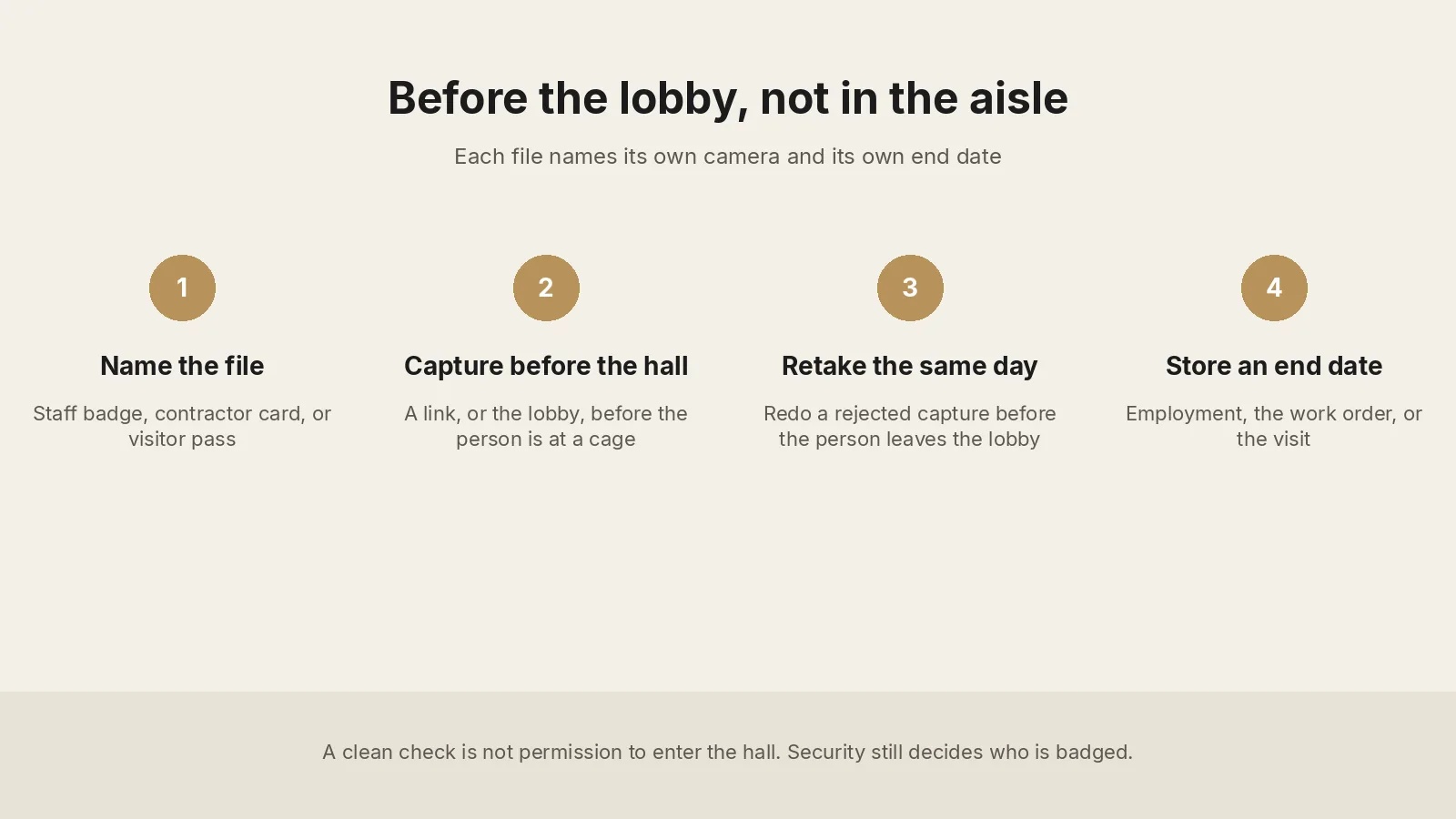
1. Write down who holds the camera. Collect each photo in the lobby, before the person is at a cage. Keep a retake camera there. One person, in color, eyes visible. A hard hat, a hood, dark glasses, or the aisle in the frame is a retake.
2. Sort people by the record that already owns them. The staff badge, including remote hands done by your own technician, ends with employment. A contractor card, including a customer technician, ends with the work order or the ticket. A visitor pass, including a tour or an audit, ends when they leave or at the time you stored. Each card names its hall and its doors. Agency staff, contract security, a build crew, and a utility crew follow the guides linked above.
3. Collect the file on one link, or in the lobby. The badge photo service emails one link per person, with no extra account, expired after use, available per request from support@idphoto.ai. It works without a facility email. Send it with the ticket, before the person reaches the site. The link does not replace an escort. A driver who stays on the dock can remain a log line. A person who crosses into the hall is on the visitor file first.
4. Reject a bad capture in the same visit. A photo compliance check can return a pass or a fail, and the reason, before you print. Background removal and photo enhancement apply only when the template allows them. A visa or a UK passport photograph stays unedited. See when a corrected portrait fits. A face-mask check is available per request.
5. Write the file back with its date. The portrait follows the shorter date stored with the file. On a replacement, face comparison checks the new capture against the file you already hold. Liveness detection is available per request on a phone capture. Take the copy back, or use a temporary link of 2 hours to 14 days. Deactivate the card on its date and recover the badge. Where Requirement 9.3.1.1 applies, access ends immediately on termination.
6. Batch one hiring class or one maintenance window on one template. Batch preparation returns a retake list before a commissioning week. Print the visitor card in a different color from the staff badge.
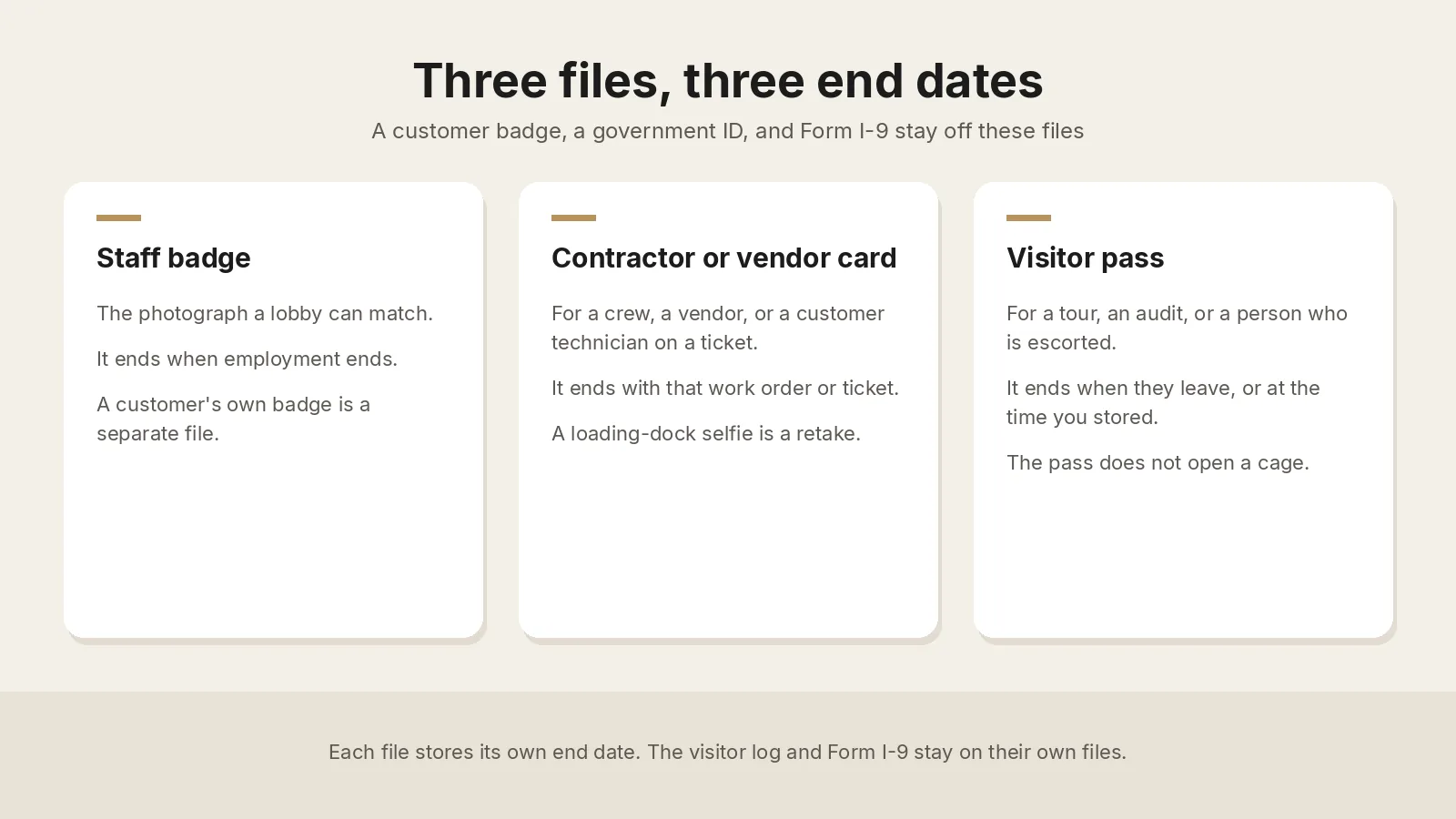
Measure the window you actually print. Keep a customer account number and a cage number off the face of a card that can leave the building in a pocket.
What should security and facilities require from a photo service?
| What you need | What good looks like |
|---|---|
| A specification per card you print | Size, crop, and background for each window, and a second window when the cards differ. See the spec code reference. A visa and a government ID sit outside this list. |
| Rejection in the same visit | Face, light, blur, and framing at the lobby. A visa and a passport photograph stay unedited. |
| A path before arrival | One link per person, no extra account, expired after use, including someone without a facility email. A camera in the lobby for a retake and a walk-up. |
| The record that owns the person | The file returns with its end date, the hall, and the doors. Workday or SAP SuccessFactors sync is available per request for employees already in those systems. A customer technician stays on the ticket. |
| A check a lobby officer can explain | Face comparison and liveness detection are available per request. The facility still decides who may enter. The card still deactivates on its date. A visitor pass stays off the cage doors. |
How do you roll this out across halls?
Write the file rule before the first link. Name the templates, the end dates, and which doors each card opens. Mark which halls are in a cardholder data environment, so Requirement 9.3.2 applies there. A customer’s own badge stays off this rollout. Put the dock rule on the same page.
Run one hall for one week. Use a quiet week. Print two staff badges, one contractor card that ends with that work order, and one visitor pass that ends the same day. Include one customer technician with no facility email. Print on the lobby printer, or confirm print and mailing before you promise a card in the post. Print and mailing is available per request. A visitor pass is handed over in the lobby, because that is where the escort starts.
Add the next hall after a write has held. Prove a clean upload, a retake, and one failed write that is retried. Then open the next commissioning week. Connect Workday or SAP SuccessFactors for employees only after support confirms it.
Where do these photos usually fail?
| What fails | What to change |
|---|---|
| A customer technician waits while someone hunts a selfie | Send the link with the ticket. Keep a camera in the lobby. |
| The portrait includes a hard hat, a hood, or the aisle | Retake in the lobby, facing the camera, with eyes visible. |
| Last quarter’s contractor card, or a finished ticket, still opens a cage | Deactivate the card on its date. Recover the badge. |
| A visitor pass looks like a staff badge, or it opens a door | Use a different color. Where Requirement 9.3.2 applies, keep it off the cage doors and collect it when they leave (Requirement 9.3.3). |
| The three-month log is used as a reason to keep every visitor photograph | Keep the log fields in Requirement 9.3.4. Delete the portrait on the date stored with the file. |
| A customer technician is added as an employee so the photo will sync | Keep them on the contractor file for that ticket. Form I-9 is for people you employ. |
| A dock delivery becomes a walk through the hall | The dock rule lasts only while the person stays on the dock. Move them onto the visitor file before they cross. |
Who may see a photograph?
The person, the people team for employees, and the lobby officers who match a face may see the file that role needs. A customer receives their own ticket, not the staff folder. Where Requirement 9.3.4 applies, keep the log fields on that clock and the photograph on the shorter date stored with the file. GDPR Article 5(1)(e) and the CCPA apply where those laws apply. The data privacy policy covers encrypted transmission, a temporary link of 2 hours to 14 days, or taking the image back. US and EU processing are available. Other regions are available per request.
What do security and facilities leads ask?
Does every technician, contractor, and visitor need a photo on the credential?
Where you print one, measure the window. Where Requirement 9.3 applies, a visitor badge expires and looks different from a staff badge.
Can a customer technician use the staff badge template?
No. They stay on the contractor card for that ticket. Form I-9 stays with their employer.
Can a visitor pass open a cage door?
Keep it off the cage doors. Where Requirement 9.3.2 applies, surrender or deactivate it when they leave.
Does the three-month visitor log mean you keep the photograph for three months?
No. Requirement 9.3.4 keeps the log unless the law restricts it. The photograph follows the shorter date stored with the file.
Can a contractor or a customer technician send a photo before they reach the site?
Yes. One link, no extra account, expired after use, available per request from support@idphoto.ai. Keep a camera in the lobby.
Can a driver’s license photo or Form I-9 be the badge?
No. Those stay on the file that issued them. Print the badge from its own capture.
Does PCI DSS Appendix A1 apply to a colocation provider?
A provider that only rents equipment, space, and bandwidth is outside Appendix A1. Requirement 9 still applies inside a cardholder data environment. Requirements 12.8 and 12.9 divide the work with the customer.
What does preparing the photograph cost?
It starts at $0.20 per photo, separate from a printer, a badge system, and a government fee. The catalog covers 300+ specifications across 200+ countries.
How does idphoto.ai fit this workflow?
The idphoto.ai API is the photo step. It prepares a portrait to the template you name, checks the capture, and returns a file for the staff record, the contractor record, the visitor record, or the printer. The facility decides who receives a card and which door it opens. Form I-9 and a visa stay on their own path. A UK passport photo code retrieves a photograph that meets GOV.UK photo rules, and HM Passport Office still decides. Preparing a photo starts at $0.20, from a catalog of 300+ specifications across 200+ countries.
Templates, the self-service link, Workday or SAP SuccessFactors sync, print and mailing, liveness detection, a face-mask check, another processing region, and the Shopify store template with one-click setup are each available per request. The store template stays off the access record. Email support@idphoto.ai with the card designs, which doors each pass opens, and how the file returns. Request samples stay in the API docs.
Where are the rules cited in this guide?
- PCI DSS v4.0.1 (June 2024), Requirements 9.3.1, 9.3.1.1, 9.3.2, 9.3.3, and 9.3.4, Appendix A1 on co-location, and Requirements 12.8 and 12.9, from the PCI Security Standards Council document library
- AICPA 2017 Trust Services Criteria with revised points of focus (2022), criterion CC6.4
- ISO/IEC 27001:2022, Annex A control 7.2
- Form I-9, E-Verify photo matching, GOV.UK photo rules, and GDPR Article 5(1)(e)