
The photo is already in the file. A passport office, consulate, motor-vehicle agency, border or immigration body, university, or large employer has to decide whether it meets the rule. Different people apply a written specification by eye. Two reviewers can disagree on the same head size. A third can be using the wrong document’s rules. None of them leave a measurement, only a yes or a no.
Machine review measures the same way on every file. It does not issue the document, and it does not replace the officer. It replaces or assists the manual look: a pass, warn, or fail on each rule, with the measured value and the expected value stored on the case. This note is for organizations that accept photos submitted to them.
The backlog is the photo, measured by hand
The US Department of State says unacceptable photos are the number one reason passport applications are put on hold. That is an issuing authority describing its own queue: someone opens the file, looks at the picture, and the case waits. The rules are stable — head size, position, background, light, glasses, expression, eyes, focus, resolution, head coverings. What changes from desk to desk is how strictly each person applies them.
A written standard does not remove that variance. ICAO 9303 covers machine-readable travel documents. ISO/IEC 19794-5 covers face-image data. ISO/IEC 29794-5 covers face-image quality. The agency’s own specification adds the numbers it uses: pixel size, background, glasses, head size. Citing those publications is not a certification. IDPhoto.ai does not claim NIST, BSI, FedRAMP, or SOC 2 certification, and this page does not publish an accuracy rate. A machine check records the same result for the same specification, and a later audit can see the measurement.
Issuing authorities already put a machine in front of the person
This is not a new idea inside government. It is how several issuers already separate a technical photo check from the decision a person still owns.
HM Passport Office describes that split in its photo standards. On a digital application the service runs an automated technical check and records the reason when it finds errors. Staff guidance treats the automated check as part of accepting the photograph, not as a substitute for the Office. Another office can run the same shape on files it receives: the machine applies the tests, and a person remains responsible for the case.
The US online renewal path is the same shape. The Department’s page on uploading a digital photo says the photo tool checks basic requirements, and an employee still reviews the photo after the application arrives. The tool does not issue the passport. For a visa, acceptance of the photograph is at the discretion of the embassy or consulate. A consulate or visa processing center can keep the machine as the first reading and the officer as the last.
Germany moved the photograph onto a system the authority controls. From 1 May 2025, biometric photos for passports and identity cards are digital. Bundesdruckerei, supplying capture systems for the interior ministry, described the rule: the photo is taken at the authority or delivered through a certified cloud. A short transition allowed paper in exceptional cases through 31 July 2025 where equipment was not in place. Munich now says printed passport photos are no longer accepted for those documents. The file arrives digital. The rule check belongs in intake, on the case.
None of those programs is this API. They show issuers separating a technical photo rule from the decision to issue the document.
One result per rule, stored with the case
POST /v2/checkPhoto is that checker. The case system sends the submitted image and the specification the office accepts. The response is JSON. It does not return a new photograph. The fields a reviewer, an auditor, or a later appeal can read are:
pass, true when no rule failed. A warn does not fail the photo. It stays on the record, and the office’s policy is what sends that file to a person before anyone treats the photograph as accepted.score, from 0 to 100, a summary of those rules. It is not a probability that the document will be issued.checks, one object per rule: an id, a name, a status of pass, warn, or fail, the measured value, the expected value, and a short message.spec, the specification the check used, so the record shows which rule book was applied.
The rules follow travel-document practice in the style of ICAO 9303, ISO/IEC 19794-5, and ISO/IEC 29794-5, applied to the specification you select: size and dimensions, head size and position, background color and uniformity, lighting and shadows, glasses and glare, expression, eyes, focus, compression and resolution, head coverings, and hints that the portrait was morphed or retouched in a way that changes the person. If no usable face is present, that rule fails and the other measurements are not invented. A religious or medical covering that leaves the face visible is a warn for a person, not an automatic fail. A digital-alteration hint is a hint, not a certified forensic opinion. Store the checks array on the case. That is the audit trail a note of “photo ok” cannot provide.
The specification is a specCode from the spec code reference, or one added for the document you issue. A page slug is not the request value. An unknown code is an integration error, not a photo decision.
Warn is a queue, not a shrug
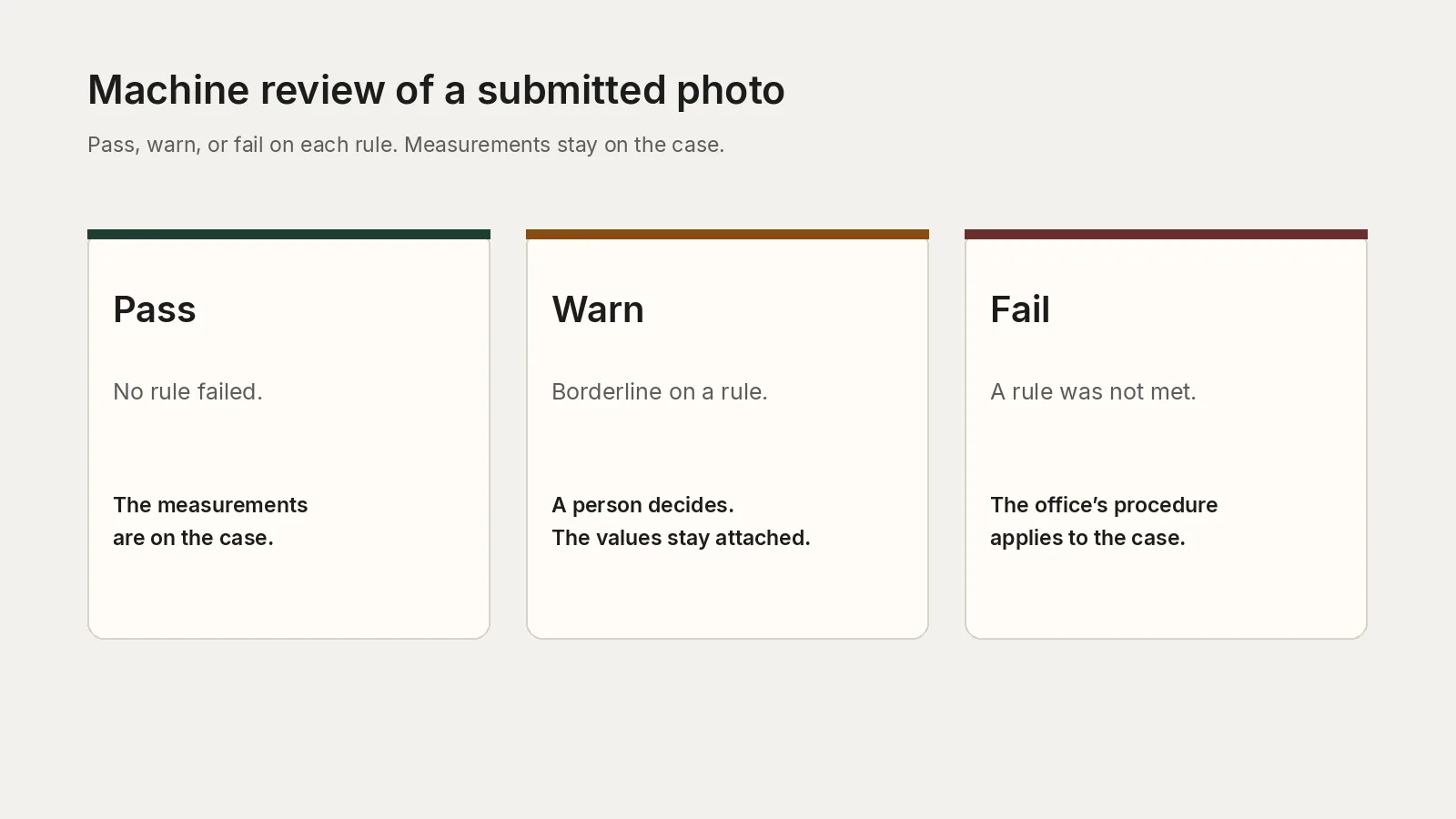
Three statuses are enough to run a desk. Pass means no rule failed. If the warnings list is also empty, the office can treat the measurements as done and leave the file out of a second visual check of those same rules. Fail means at least one rule was not met. The case system routes that file under the office’s procedure for a photograph that does not qualify. Warn means the measurement sat on the line the office chose to treat as borderline. Those files go to a person, with the measured value and the expected value already on the screen, whether or not the overall pass flag is true.
That person is the human in the loop. The machine does not close a warn. An office that wants every file seen by a clerk can still require that. The check supplies the measurements, and the clerk’s decision is stored beside them. An office that wants people only on the borderline uses warn as the work queue. Either policy is configuration, not a property of the photograph.
Thresholds are per specification. Head height for a passport is not head height for a staff card, and the point where a near-miss becomes a warn rather than a fail should be the same in every office that accepts that document. Those lines are set for the specification on the account. Email support@idphoto.ai with the document and the cut. Do not share one threshold across a passport and a campus card and call it consistency.
Put the check in the intake system you already run
High volume is the case system calling the check once per submitted photo, as a batch is ingested or as each file arrives. There is no bulk-upload method. One request returns one JSON record, attached to the case id you already use. Key the job by that case id and a hash of the image bytes, so a replay is visible and a timeout is not recorded as a decision. Allow at least 60 seconds. A timeout is not proof the check was skipped.
Send the call from your server to https://api-us.idphotoapp.com or https://api-eu.idphotoapp.com. Other regions are available on request. The key and secret stay on that server. The image is Base64, an HTTPS URL, or a multipart file: JPEG or PNG, up to 10 MB, one image per call. Map credential, file, and specification errors to the operator. Map pass, warn, and fail to the case. Pricing for the check is available on request. It is not the published starting price for preparing a photograph. The fields and samples are in the API reference.
The photograph is the data
A submitted portrait is personal data, and an issuing body already has a retention schedule for the case. The check has to fit that schedule rather than invent a second one. Transmission is encrypted. Use the US or EU endpoint configured for the account, and keep a whole matter on one region. The response is the rule record. It does not include a new image and it does not include a hosted photograph to download.
The published data privacy note describes encryption in transit, a choice between taking files back and a temporary link on other calls, and the GDPR and CCPA. It does not certify the service. There is no SOC 2, FedRAMP, NIST, or BSI claim on this page. An agency that needs a written retention window for images sent to this endpoint should confirm it with support before production, and should keep the authoritative copy in its own case system. Do not log the image or the secret.
Who the queue belongs to
Passport, visa, and national ID agencies review the photograph as part of issuing the document. Consulates and visa processing centers do the same, with the decision reserved to the post. Motor-vehicle agencies, border authorities, and immigration bodies apply a photo rule to a license or a travel record. Universities and large employers issue cards against a house specification that still has to be the same at every site. Professional boards and similar reviewers sit in the same pattern: the photo arrives, the rule is written down, and someone is paid to look. The sentence on the case is the same in each office. These rules passed. This one warned, and a named reviewer decided it. This one failed, and the office’s procedure applied. The document decision remains the office’s.
Start from the documents you already accept
Bind each case type to one specification. Send a file your supervisors already treat as acceptable and a file they already treat as not acceptable, and compare the checks array with the measurement they would have written. Set the warn line for that specification so the queue matches the share of files a person should still see. Store the JSON on the case before the image leaves your retention window.
The reference is POST /v2/checkPhoto. For volume, a specification you issue that is not in the catalog, or the threshold for a document, write to support@idphoto.ai.
Related reading
- POST /v2/checkPhoto for the request, the response, and the error codes.
- Spec codes for the document identifiers the check accepts.
- Data privacy for encryption in transit, regions, and the published retention choices.