
Appearance
AI Photo Editing API
Turn a difficult portrait into a cleaner ID-style photo in one request. The API evaluates the whole image, corrects only the problems it finds, and leaves already suitable regions unchanged.
This endpoint is for portrait normalization, not beautification. Its highest priority is keeping the person recognizable as the same real individual.
The problem it solves
Real users rarely submit a perfectly controlled studio photo. A single image may combine a turned head, a tilted posture, visible teeth, glasses, hard shadows, compression artifacts, or a shoulder that was cut off during an earlier background-removal step. Fixing these issues manually is slow, and chaining separate edits can introduce inconsistent results.
POST /v2/aiEdit applies the necessary corrections together while protecting details that should not change: identity, natural skin texture, age, hair, clothing, background, crop, and overall photographic character.
Use it before specification-based processing
This endpoint improves the portrait itself. It does not select a country-specific document size or guarantee acceptance by an issuing authority. For sizing, background processing, validation, and issue codes, pass the normalized result to the Passport Photo API.
What the API corrects
| Input problem | Correction | What remains protected |
|---|---|---|
| Head turned or tilted; uneven posture | Makes the face naturally front-facing, keeps the head upright, and levels the shoulders when needed | Recognizable facial structure, natural anatomy, framing, and scale |
| Broad smile, open mouth, or visible teeth | Produces a calm, natural, closed-mouth expression | Characteristic lip shape, eye shape, and the person's likeness |
| Eyeglasses, sunglasses, or unsuitable novelty headwear | Removes the obstruction and conservatively reconstructs only hidden facial regions | Hairline, ears, head shape, ordinary jewelry, and religious or cultural head coverings that do not obscure the face |
| Harsh shadows, color casts, overexposure, or underexposure | Balances facial light and color while preserving real skin tone | Pores, age, complexion, and natural texture—without whitening or makeup |
| Blur, noise, compression, or weak local contrast | Restores only the clarity needed for a usable ID-style portrait | Real detail—without invented features, aggressive sharpening, or plastic skin |
| A shoulder or garment ends at an unnatural internal edge | Reconstructs only the missing continuation of the existing clothing and silhouette | Body proportions, clothing, lighting, background, and the existing crop |
If a region already meets these requirements, the API is instructed to leave it unchanged.
Before and after
These synthetic examples illustrate the kinds of corrections the endpoint is designed to make. They are not real customers or identity documents, and individual results vary with the input image.
Before · turned head and visible teeth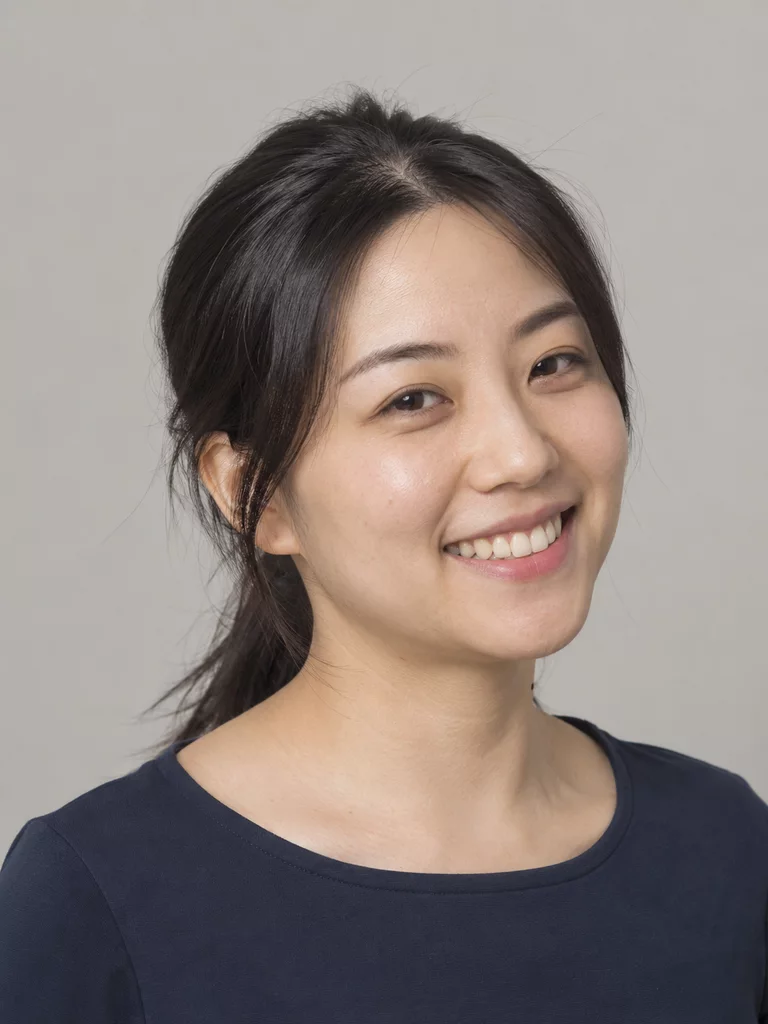
After · front-facing and neutral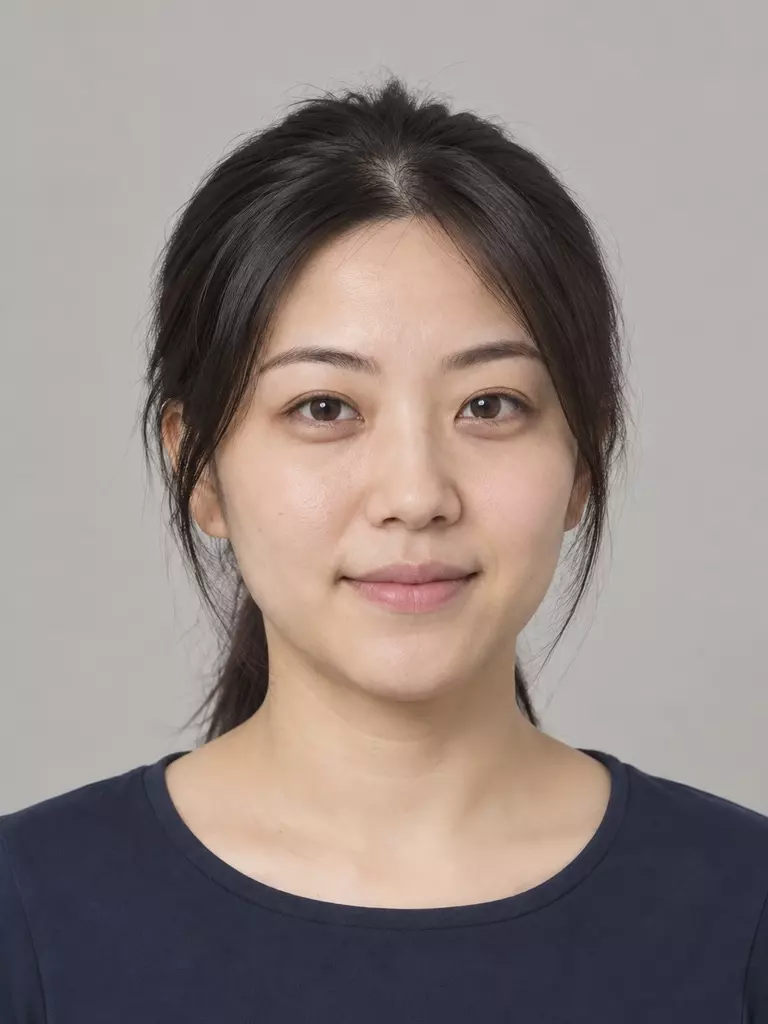
Before · glasses and hard side light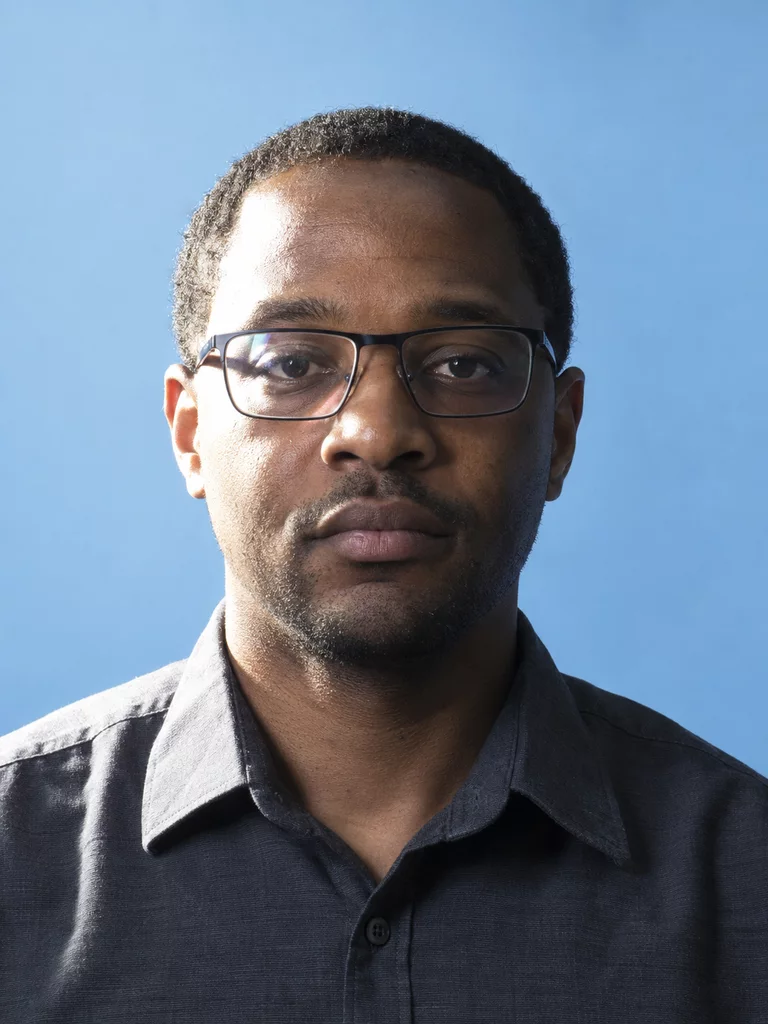
After · clear face and even light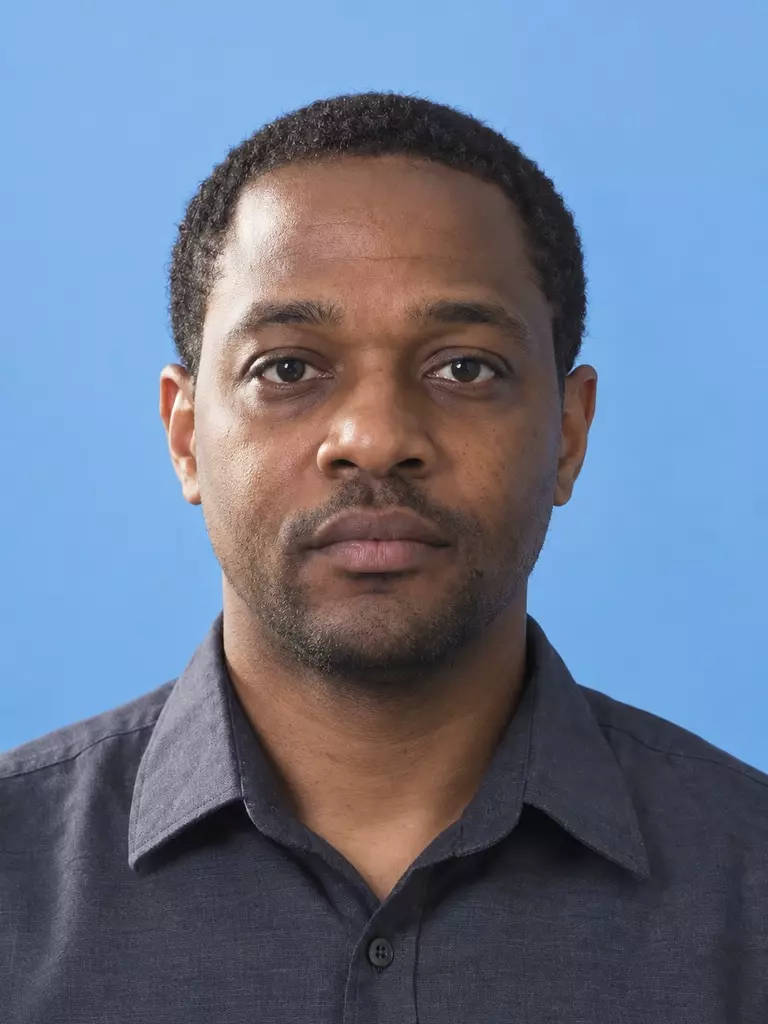
Before · eyes hidden by dark glasses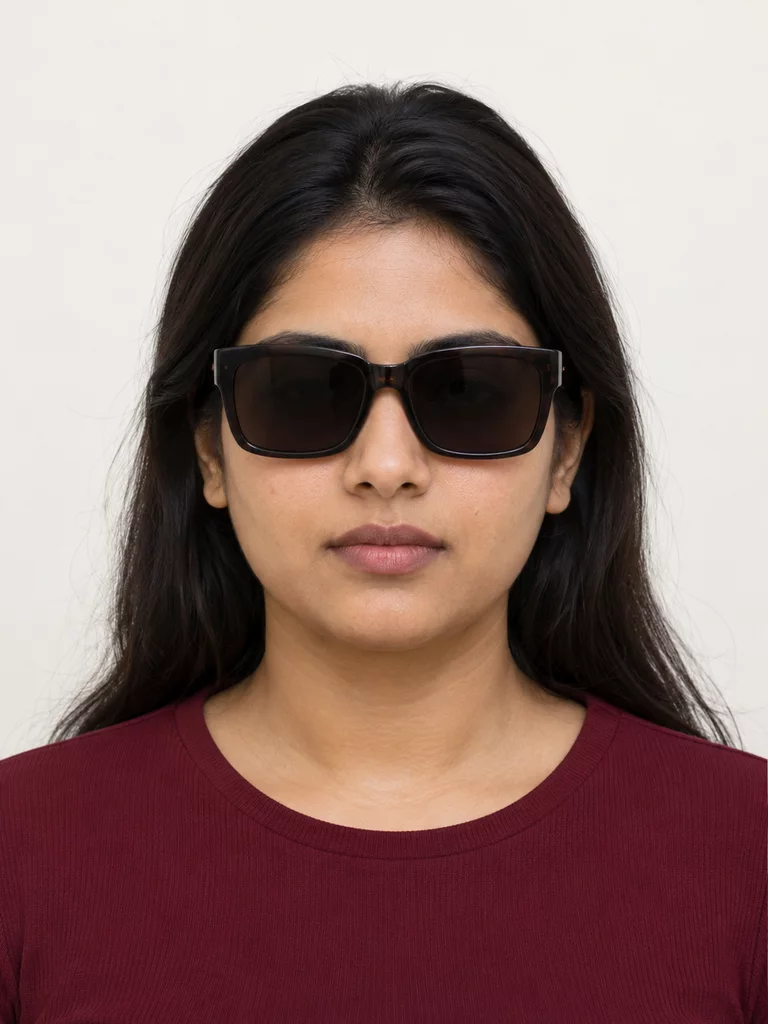
After · obstruction removed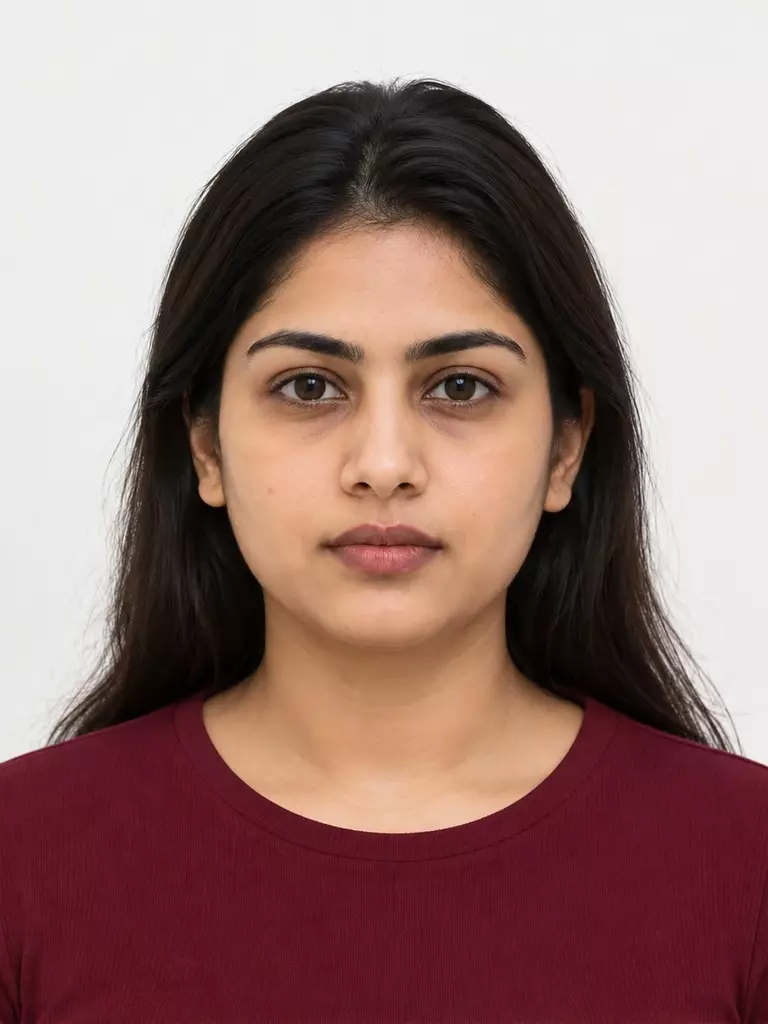
Before · blur, noise, and compression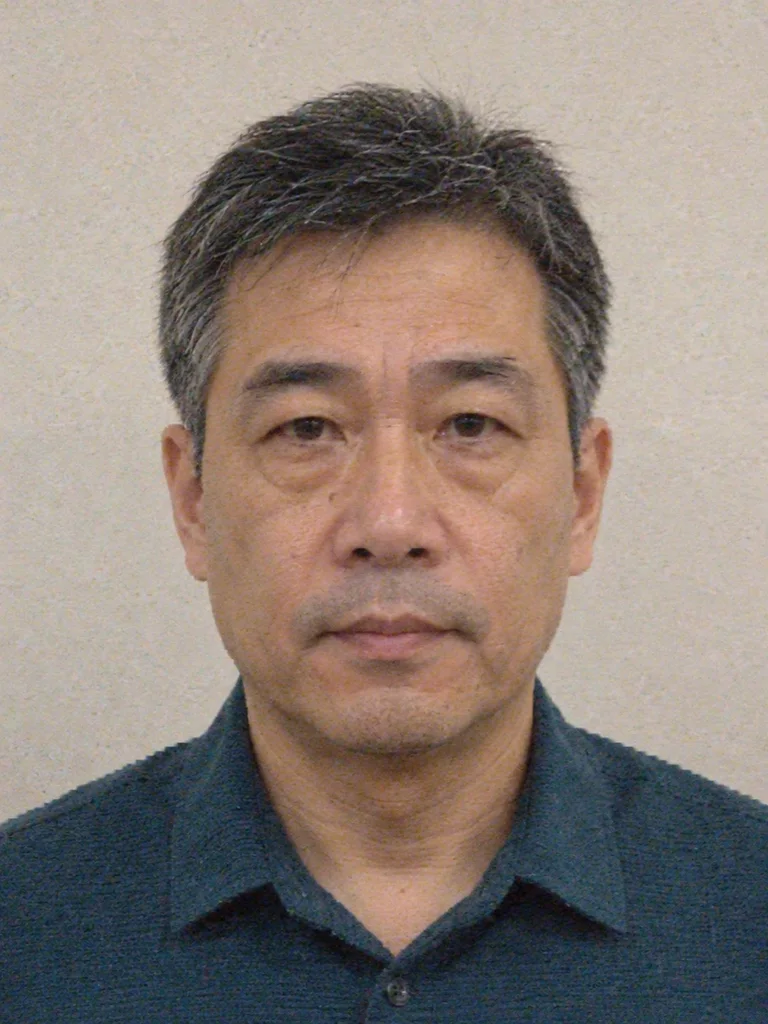
After · conservative quality recovery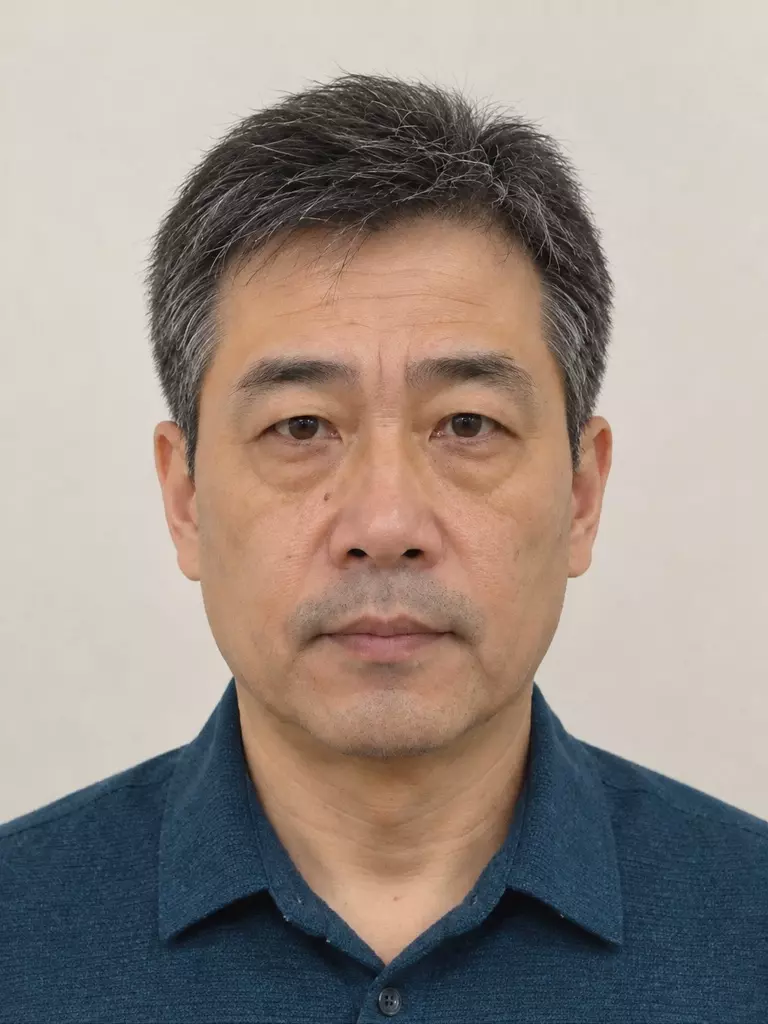
Before · shoulder cut off inside frame
After · silhouette reconstructed
Identity-preserving boundaries
The endpoint is designed to preserve facial proportions, face shape, eyes, eyebrows, nose, lips, jawline, cheeks, ears, skin tone and texture, hairstyle, hairline, age, and distinctive characteristics.
It does not intentionally:
- slim, reshape, rejuvenate, beautify, or cosmetically retouch the person;
- change ethnicity or gender presentation;
- whiten skin, add makeup, or create glamour lighting;
- replace the background or clothing;
- add objects or alter regions that are already suitable;
- invent fine facial detail when the source does not contain enough information.
API endpoint
Send the request to the region where your account and data processing are configured:
https://api-us.idphotoapp.com— US regionhttps://api-eu.idphotoapp.com— EU region- Other regional deployments are available on request
http
POST /v2/aiEditRequest
| Field | Type | Required | Description |
|---|---|---|---|
apiKey | string | Yes | Your API key. Send requests from your server; do not expose credentials in browser code. |
apiSecret | string | Yes | Your API secret. |
imageBase64 | string | Yes | Base64-encoded JPEG or PNG, with or without a data URI prefix. Use a single-person portrait. |
outputFormat | string | No | JPEG or PNG. When omitted, the input image format is used. |
outputType | string | No | Currently only IMAGE_BASE64 is supported. |
jsonc
{
  "apiKey": "your-api-key",
  "apiSecret": "your-api-secret",
  "imageBase64": "data:image/jpeg;base64,...",
  "outputFormat": "JPEG",
  "outputType": "IMAGE_BASE64"
}
Response
The edited image is returned as Base64 without a data URI prefix. width and height report the output pixel dimensions.
jsonc
{
  "output": "/9j/4AAQSkZJRgABAQ...",
  "width": 600,
  "height": 800
}
To display the result as a JPEG in an application, prepend data:image/jpeg;base64, to output. For storage or further API processing, decode the value as binary image data instead.
Integration guidance
- Access to this endpoint may need to be enabled for your account.
- Use a clear, single-person portrait and keep the complete image payload on your server.
- Set an appropriate timeout for image processing and do not log credentials or full Base64 values.
- Treat authentication failures, invalid image data, and processing failures separately from a successful edit.
- Review the edited portrait before passing it to the Passport Photo API. A successful edit does not by itself select or validate a document specification.